WhatsApp has become an essential part of daily communication for millions of people worldwide. It’s a convenient way to stay in touch, but it also raises questions about privacy and message management.
Have you ever sent a message and wished you could take it back? Or maybe you want to clear out old conversations but aren’t sure if they’re really gone? These are common concerns for WhatsApp users like you.
WhatsApp offers ways to delete messages and chats, but it’s not always clear what happens on the other person’s device. In this article, you’ll learn exactly what happens when you delete a WhatsApp chat. We’ll explore whether the other person can still see your messages and what you can do to manage your conversations more effectively.
By the end of this guide, you’ll understand how WhatsApp deletion works and feel more confident about managing your chats. Let’s dive in and unravel the mystery of deleted WhatsApp messages together.
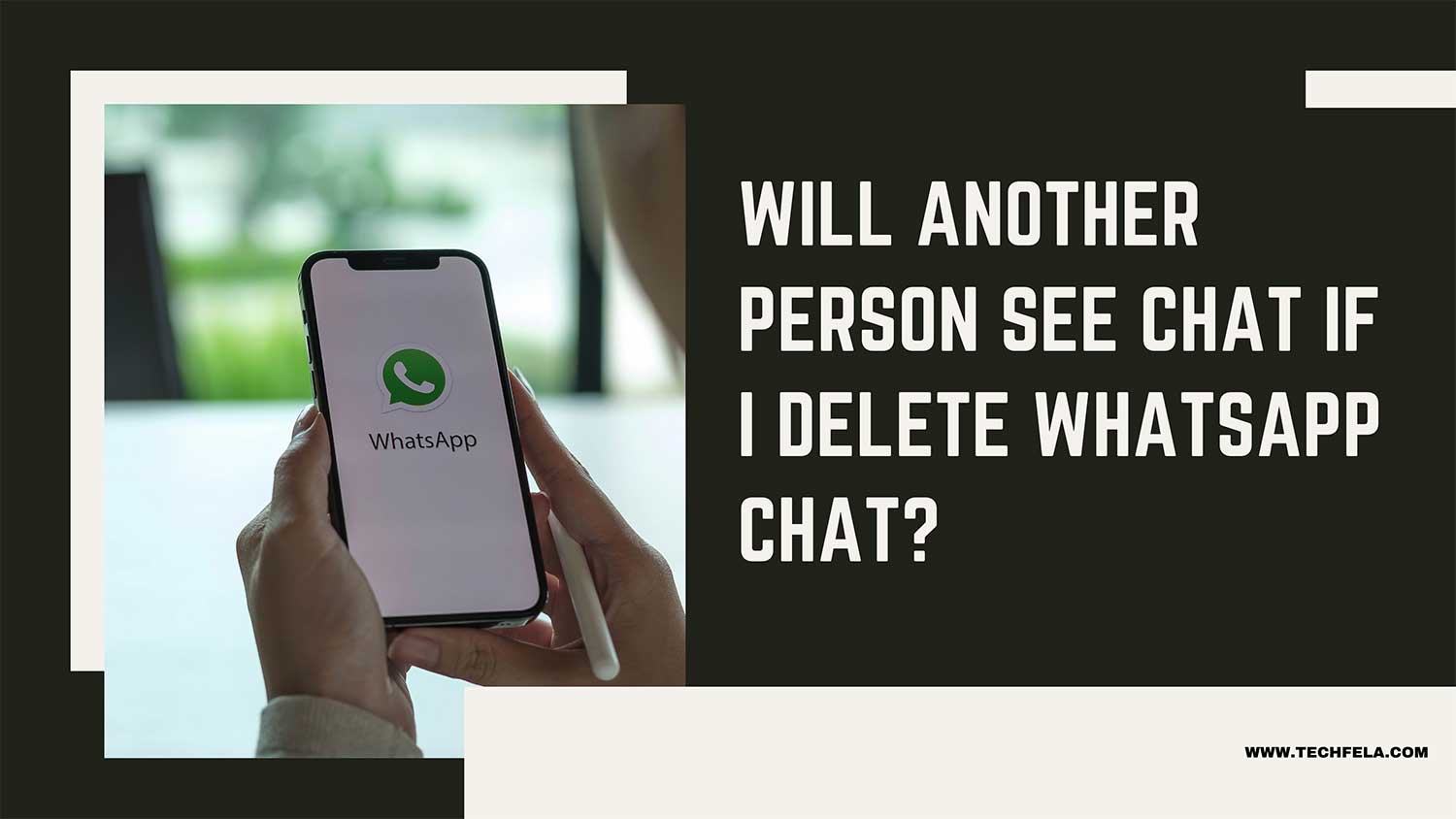
Will Another Person See The Chat If I Delete WhatsApp Chat?
Let’s clear up any confusion about deleting WhatsApp chats. Here’s what you need to know:
When you delete a chat from your WhatsApp:
- The chat disappears from your phone only.
- The other person can still see the entire conversation on their device.
- Deleting a chat on your end doesn’t affect what others can see.
However, there are some exceptions:
Deleting messages for everyone
- If you delete a specific message “for everyone” within the time limit (usually about an hour), it will disappear from both your chat and the other person’s.
- This only works for messages that haven’t been seen yet.
Deleting an entire chat before it’s opened
- If you delete a whole chat before the other person opens it, they won’t be able to see those messages.
- This is rare and only happens if you delete it very quickly after sending it.
Remember, once a message is seen or the time limit passes, you can’t make it disappear from the other person’s phone. And, if someone has replied to your message, deleting your message won’t remove their reply.
The bottom line is deleting a WhatsApp chat typically only affects what you see on your own device. To keep conversations truly private, be careful about what you send in the first place.
What happens when you delete messages in WhatsApp Business?
WhatsApp Business follows similar rules to regular WhatsApp when it comes to deleting messages. Here’s what you need to know:
If you delete a chat in WhatsApp Business, the other person can still see it on their device if they’ve already viewed the message.
Once you delete a message in WhatsApp Business, it’s permanently gone. You can’t recover it, and neither can the recipient.
Timing is crucial: If the recipient sees your message before you delete it, they’ve already read its content. Deleting it afterwards only removes it from the chat history.
Deleting a message cleans it from both your chat and theirs, but it can’t erase the memory of a seen message.
WhatsApp Business has some unique features, but its message deletion process works the same as regular WhatsApp.
How to delete a WhatsApp chat
Want to remove a conversation from your WhatsApp? Here’s how you can do it:
- Open WhatsApp on your phone.
- Find the chat you want to delete.
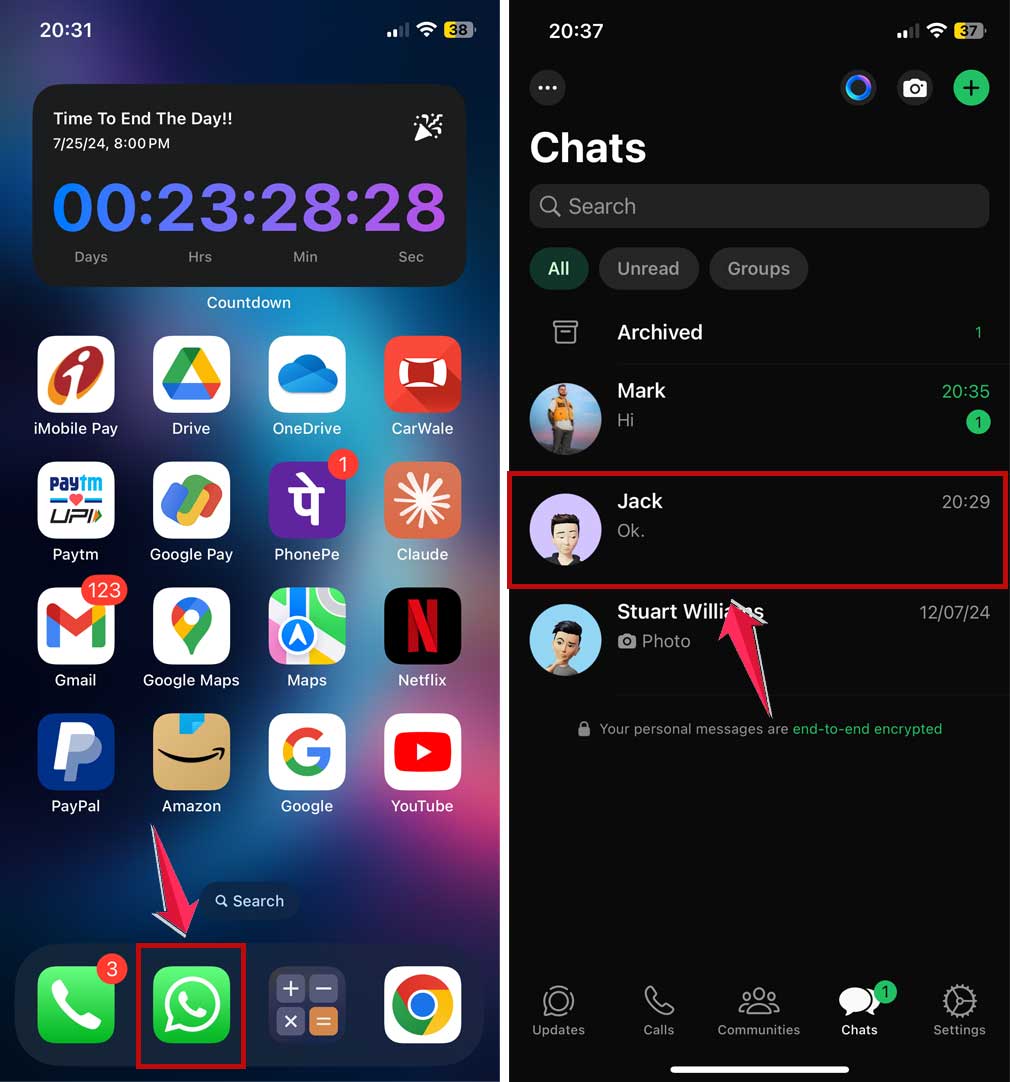
- Press and hold the chat until options appear.
- Tap “Delete Chat”.
- Confirm by tapping “Delete Chat” again.

To delete multiple messages in a chat:
- Open the chat.
- Press and hold one message, tap delete
- Then tap and select other messages you want to delete.
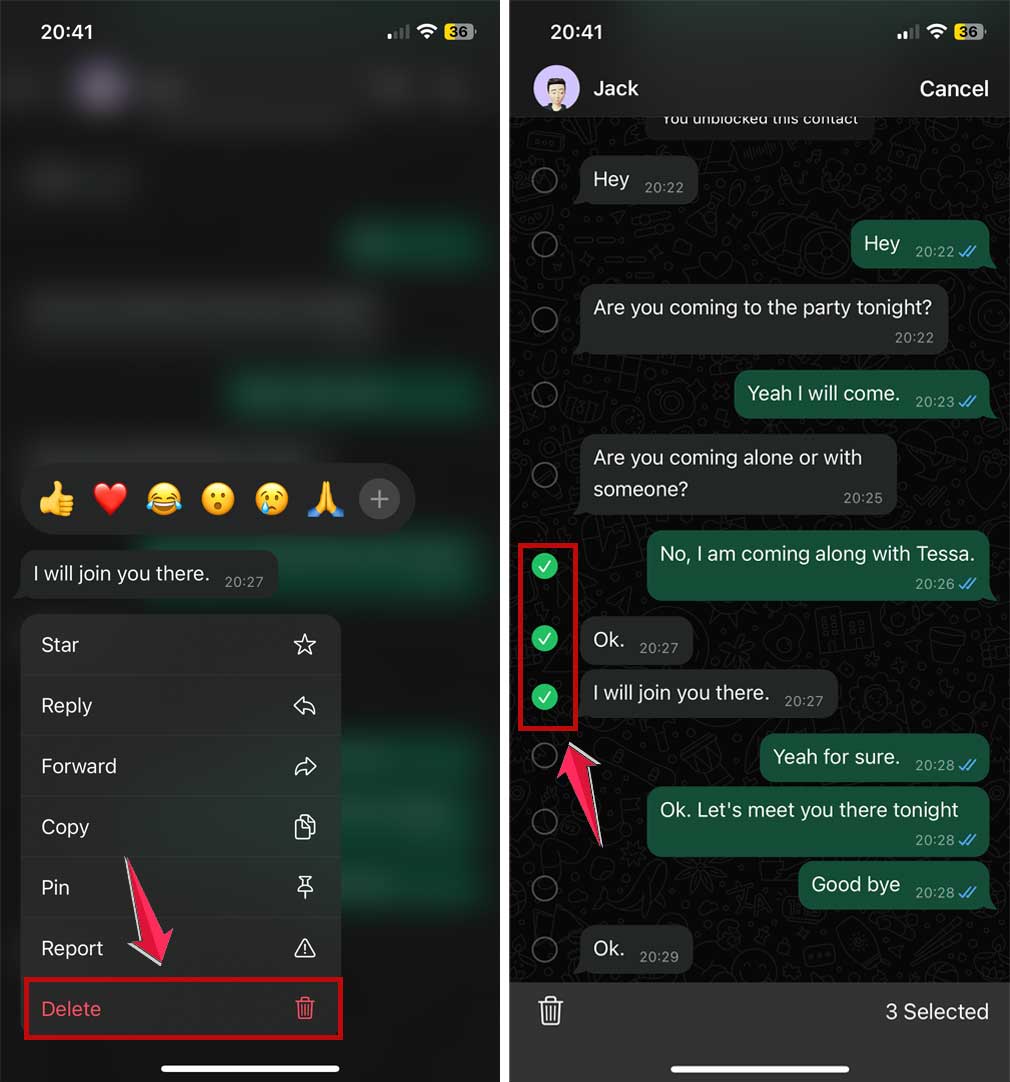
- Tap the trash icon at the top of the screen.
- Confirm by tapping “Delete”.

Remember, deleting a chat only removes it from your device. The other person will still have the conversation unless you use the “Delete for Everyone” option for individual messages (available for a limited time after sending).
The takeaway
Deleting WhatsApp chats isn’t as straightforward as you might think. When you delete a chat from your device, it doesn’t magically disappear from the other person’s phone. This can lead to misunderstandings about privacy and message management.
The key is to understand how WhatsApp deletion really works. Remember, you can only delete messages “for everyone” within a limited time frame and before they’re seen.
Once a message is viewed or the time limit passes, it stays on the recipient’s device even if you delete it from yours. This highlights the importance of thinking before you send.
A common misconception is that deleting a chat erases it. In reality, it only affects your own device. To truly keep your conversations private, be mindful of what you share in the first place. WhatsApp offers tools to manage your chats, but the most effective strategy is to communicate responsibly.
By understanding these aspects of WhatsApp, you can use the app more effectively and protect your privacy. Next time you’re about to send a message, pause and consider whether you’d be comfortable with it staying on someone else’s phone indefinitely.
We’d love to hear your thoughts on managing WhatsApp chats. Share your experience in a comment below!