Is your phone acting like an overzealous bouncer, turning away calls from people you actually want to talk to? You’re not alone. Many people are finding their phones mysteriously blocking contacts, leaving them scratching their heads and wondering what’s going on.
Let’s get to the bottom of this. Your phone isn’t trying to give you the silent treatment on purpose. More often than not, it’s a case of settings gone rogue or features you didn’t know existed. Whether you’re team iPhone or Android, this can happen to anyone.
Think about it – when was the last time you really dug into your phone’s call settings? If you’re like most people, probably not since you first set up your device. Well, hidden in those menus could be the key to why some calls aren’t getting through.
Don’t worry, though. You’re in the right place to figure this out. We’re going to walk through the most common reasons why your phone might be playing gatekeeper with your calls.
By the time we’re done, you’ll know exactly what to check and how to fix it. Ready to reclaim control of your incoming calls? Let’s get started!
Why might your phone be blocking contacts, and how can you fix it
Is your phone giving some of your contacts the cold shoulder? Don’t worry, you’re not alone. Many people find their phones mysteriously blocking calls from friends and family. Let’s dive into some simple fixes that can help you solve this pesky problem.
1. Check your spam blocker settings
Your phone’s built-in spam blocker might be a bit too eager.
Before we jump into the steps, let’s talk about why this happens. Your phone is trying to protect you from unwanted calls, but sometimes it gets a bit overzealous. Let’s show it who’s boss!
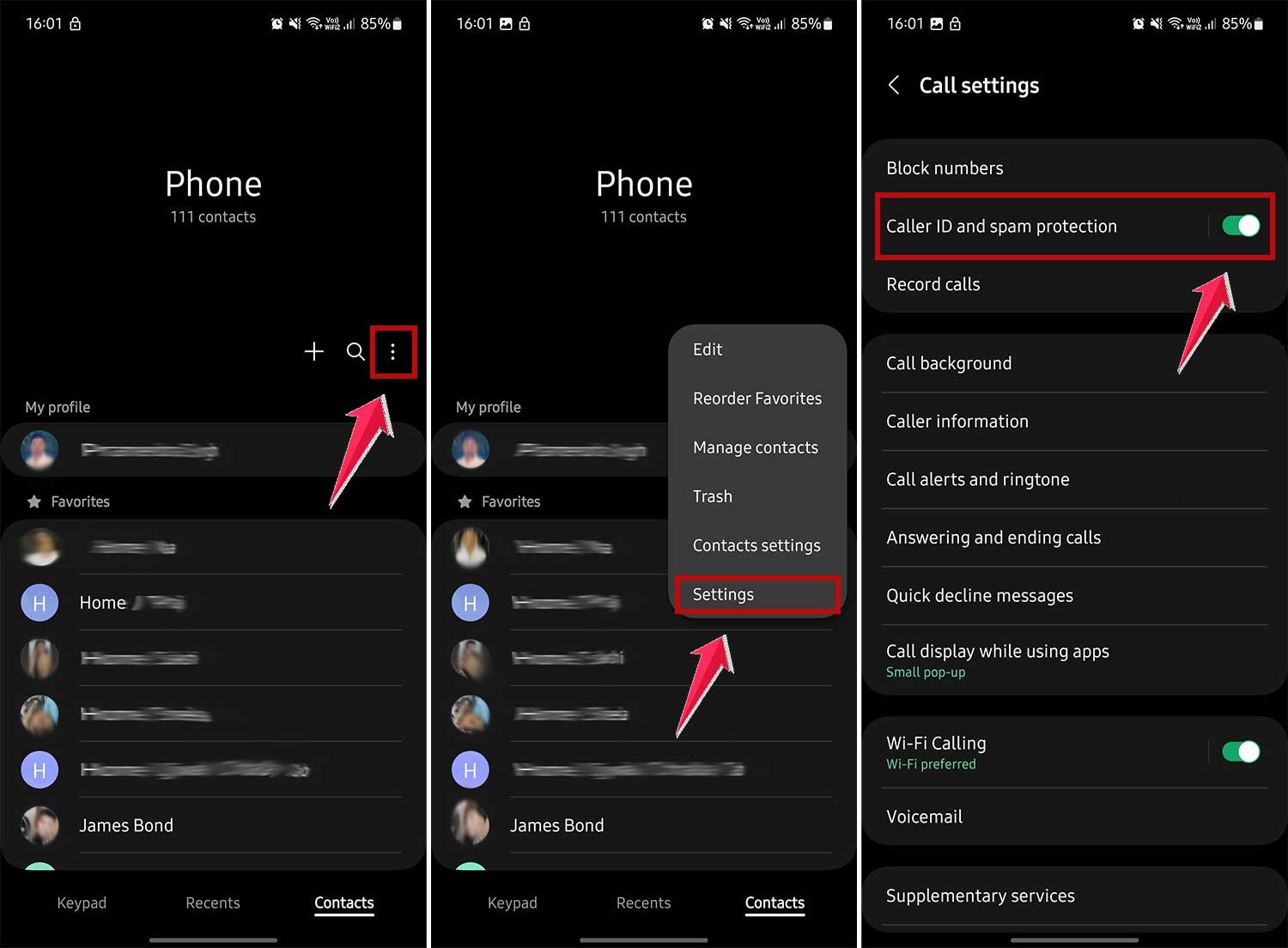
For Android users
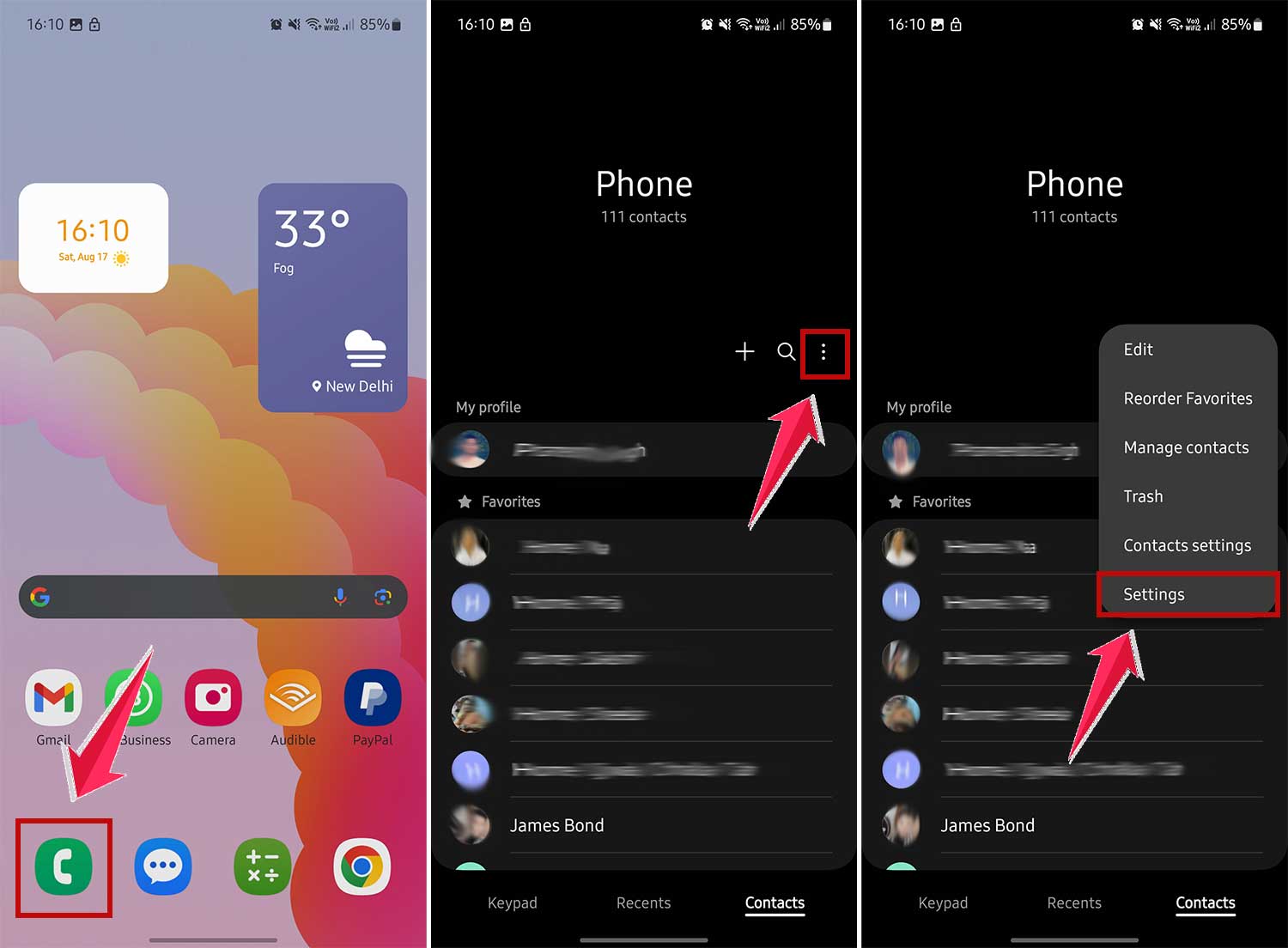
- Open your Phone app.
- Tap on More or three vertical dots.
- Now tap on Settings.
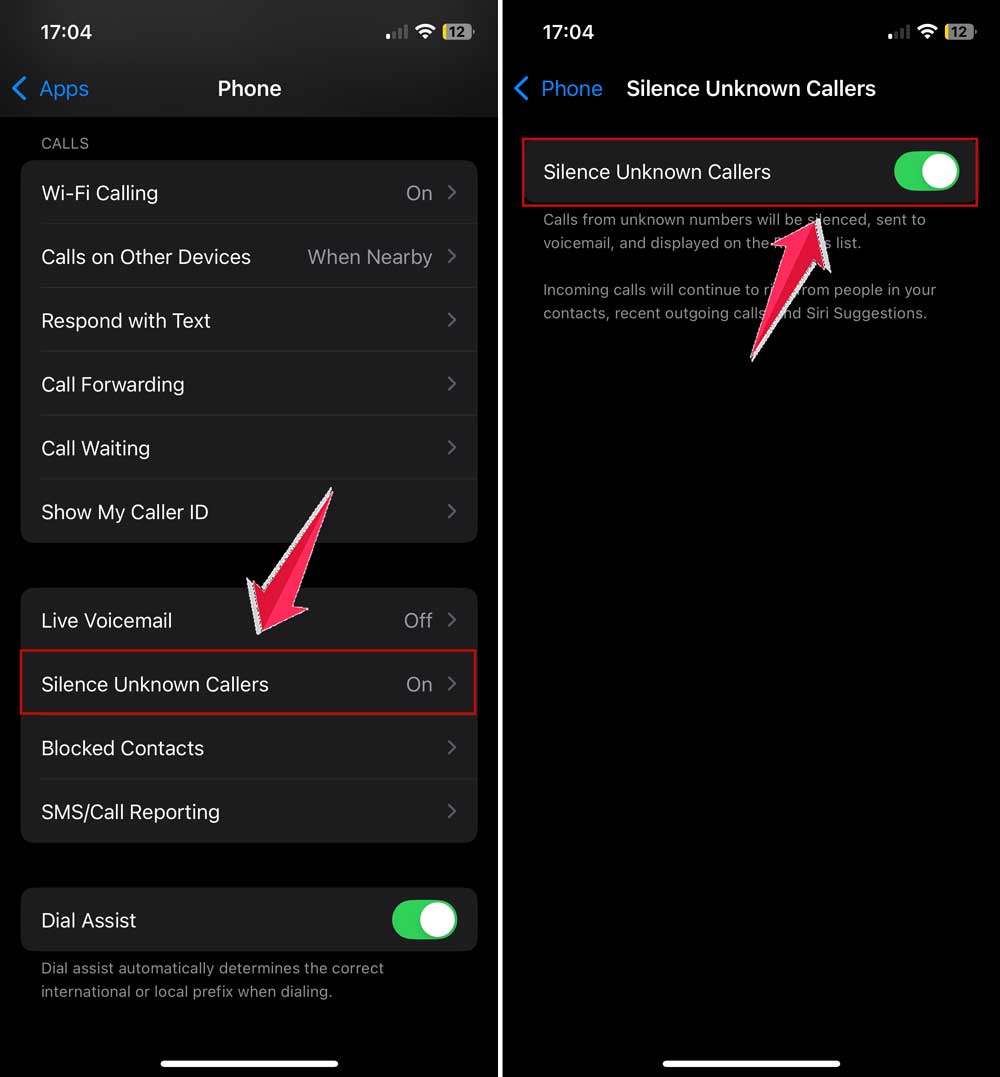
- Then click on Caller ID and spam protection and turn it off.
For iPhone users
- Head to Settings.
- Then scroll down and open Apps.
- Scroll down and tap Phone.
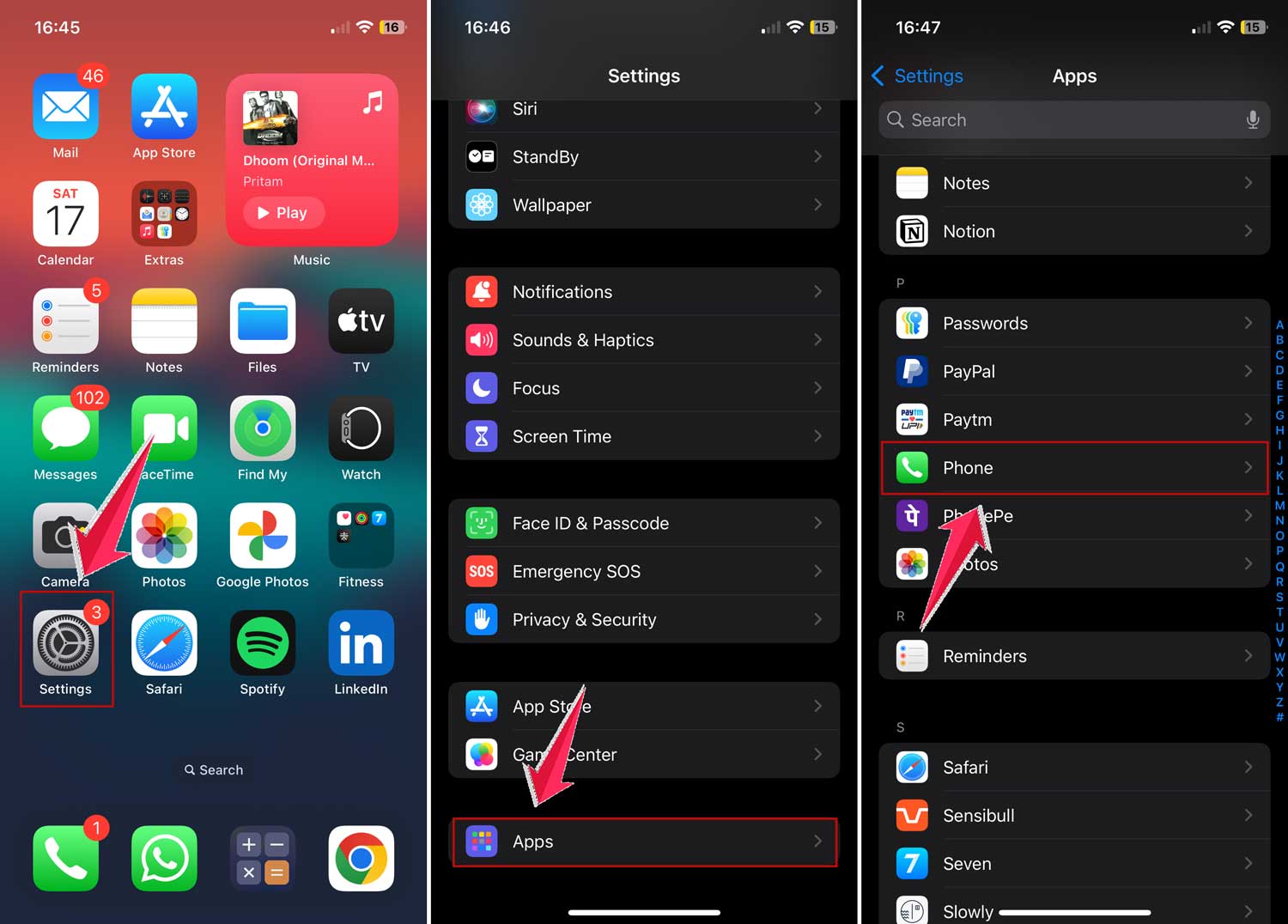
- Make sure Silence Unknown Callers is off.
2. Review your blocked contacts list
Sometimes, we accidentally block numbers we don’t recognize. Let’s make sure your friends aren’t stuck in phone jail!
On Android
- Open your Phone app.
- Tap the three dots in the top right corner.
- Go to Settings.
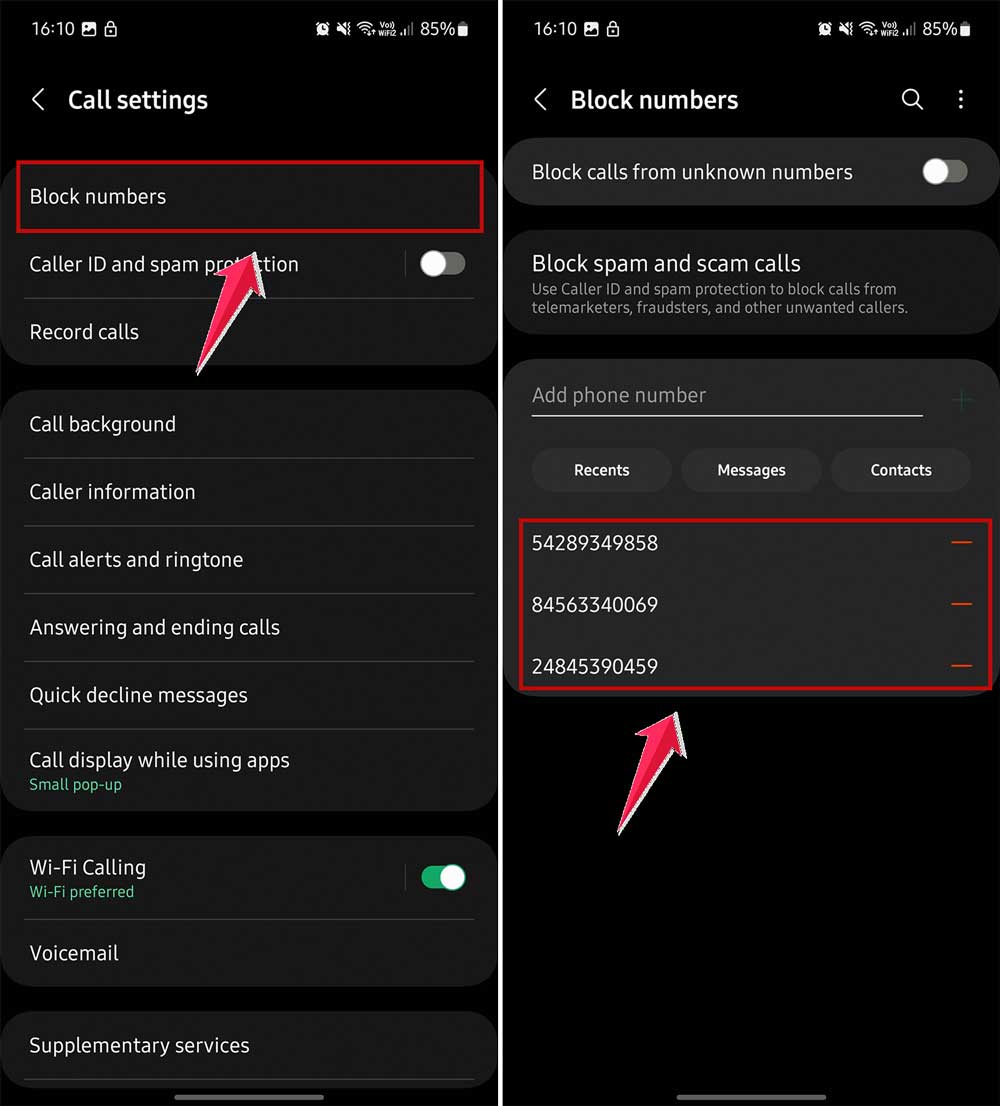
- Select Blocked Numbers.
- Look through the list and unblock any familiar numbers.
For iPhone users
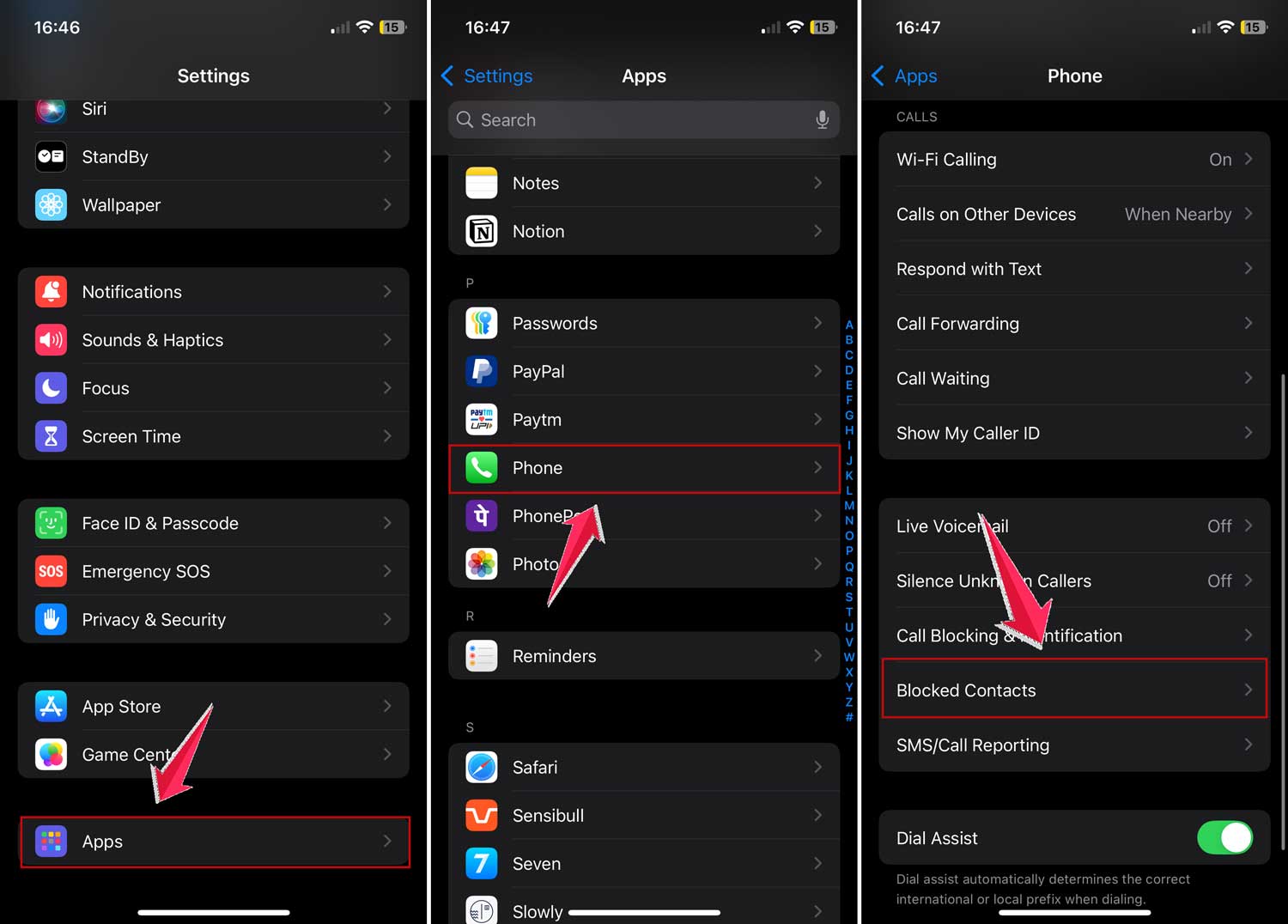
- Open Settings.
- Scroll down and open Apps
- Now Tap Phone.
- Select Blocked Contacts.
- Tap Edit in the top right corner.
- To unblock, tap the red circle and select Unblock.

3. Check your third-party apps
Some apps are like overprotective bouncers. They might be blocking calls without your knowledge. Let’s check:
- Open any call-blocking apps you’ve installed.
- Look for settings that might be blocking your contacts.
- If it’s too confusing, consider uninstalling the app.
4. Restart your phone
Sometimes, your phone just needs a quick nap. Here’s how to give it one:
- Press and hold your power button.

- Select the option to Restart your phone.

- Wait a minute or two to turn your phone back on.
5. Update your phone’s software
Your phone’s software might be outdated. Let’s give it a quick tune-up:
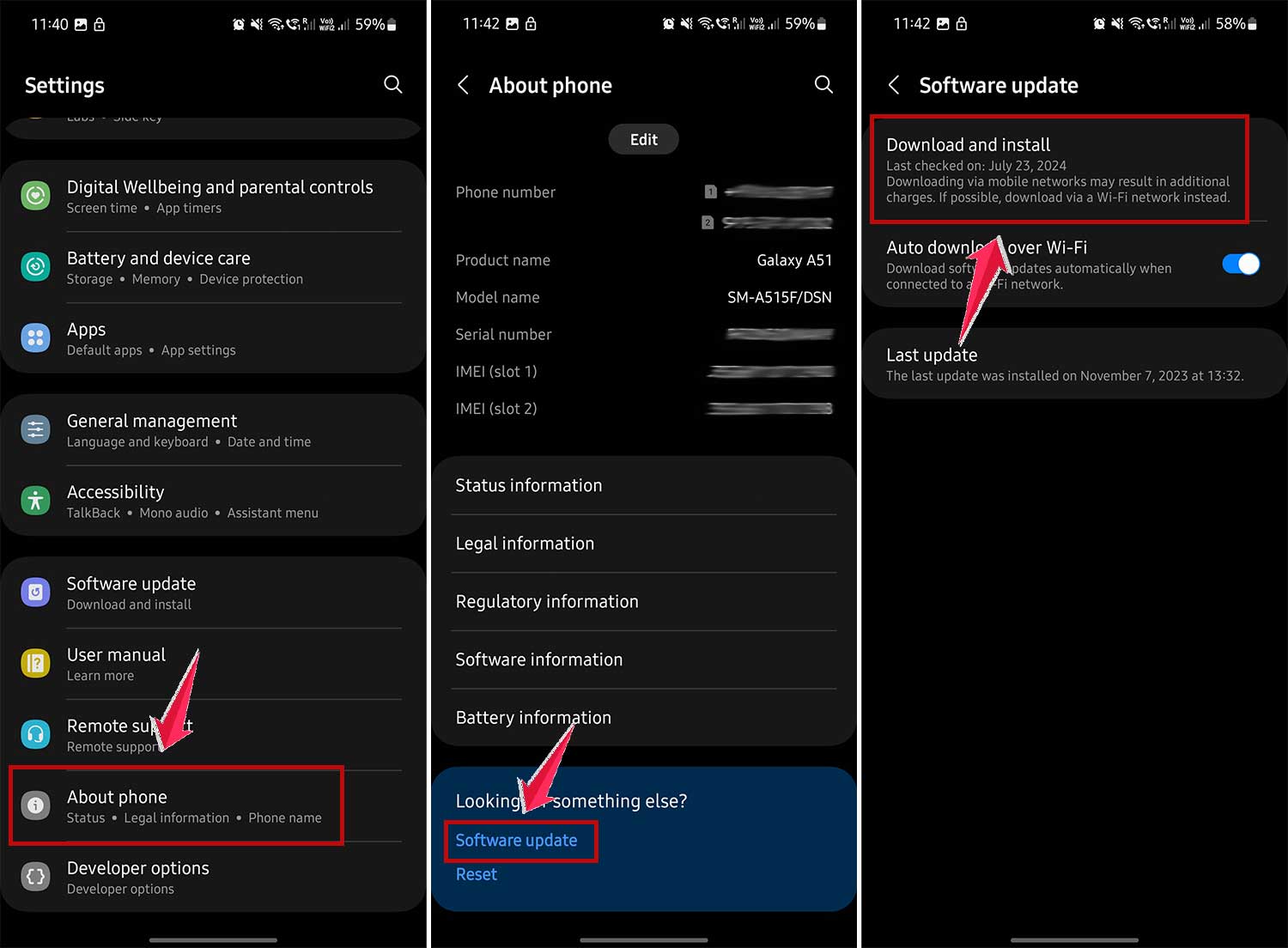
For Android
- Open Settings.
- Tap System or About Phone
- Select System Update.
- Tap Download and Install.
- If an update is available, It will start installing.
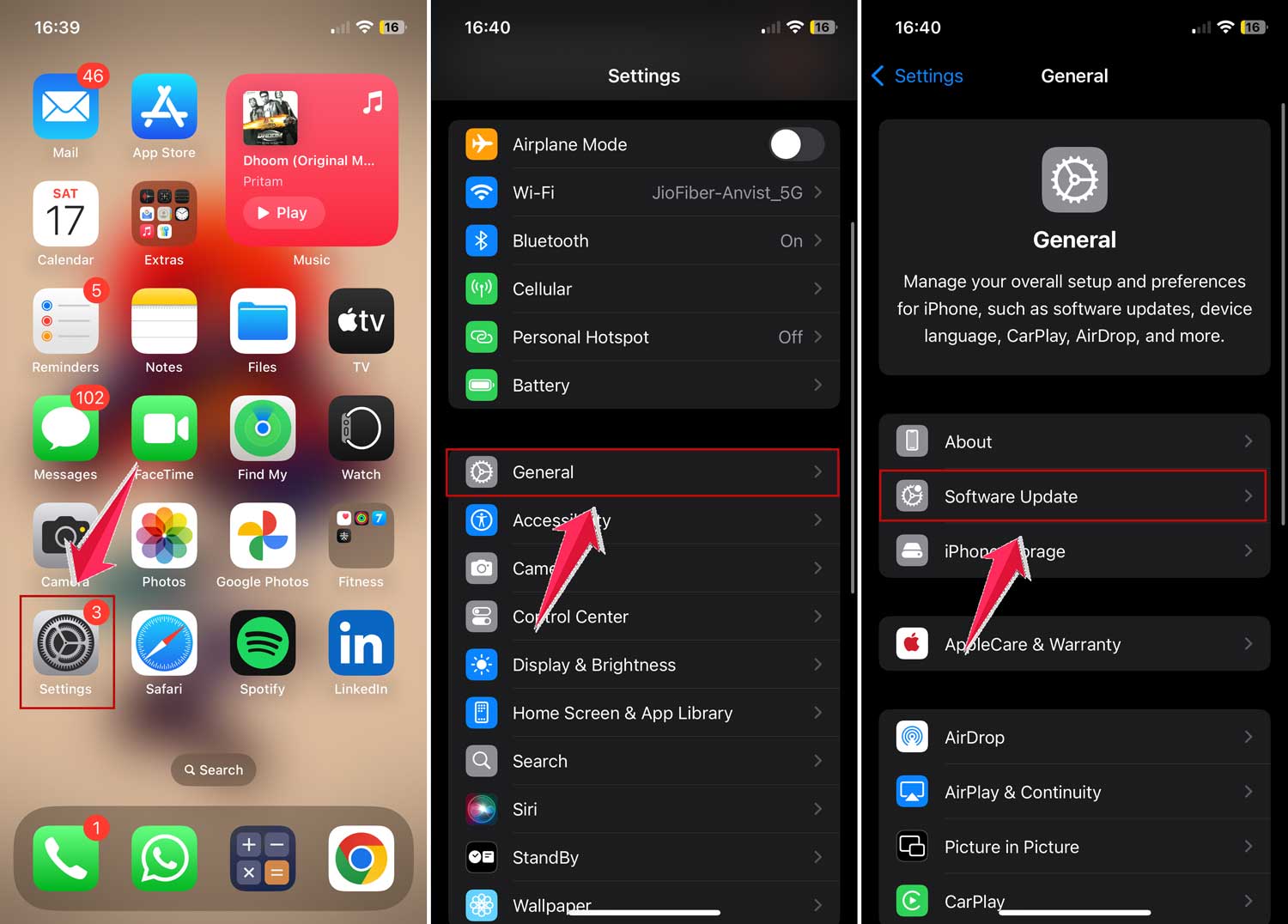
iPhone users
- Go to Settings.
- Tap General.
- Select Software Update.
- If an update is there, tap Download and Install.
6. Check your Do Not Disturb settings
Your phone’s Do Not Disturb feature might be working overtime. Let’s make sure it’s not blocking calls when you need them:
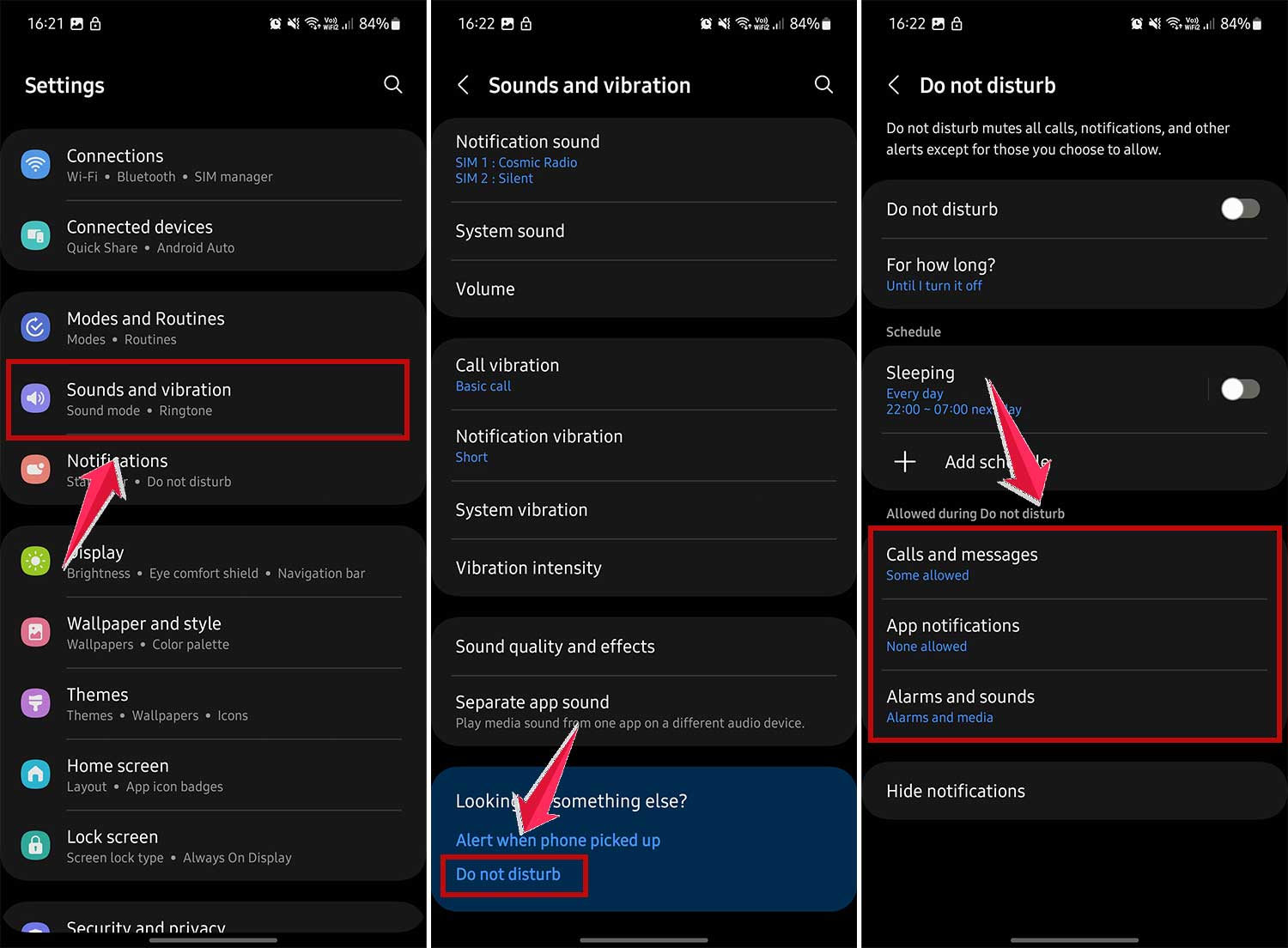
On Android
- Go to Settings.
- Tap Sound or Sound & vibration.
- Select Do Not Disturb.
- Review and adjust the settings as needed.
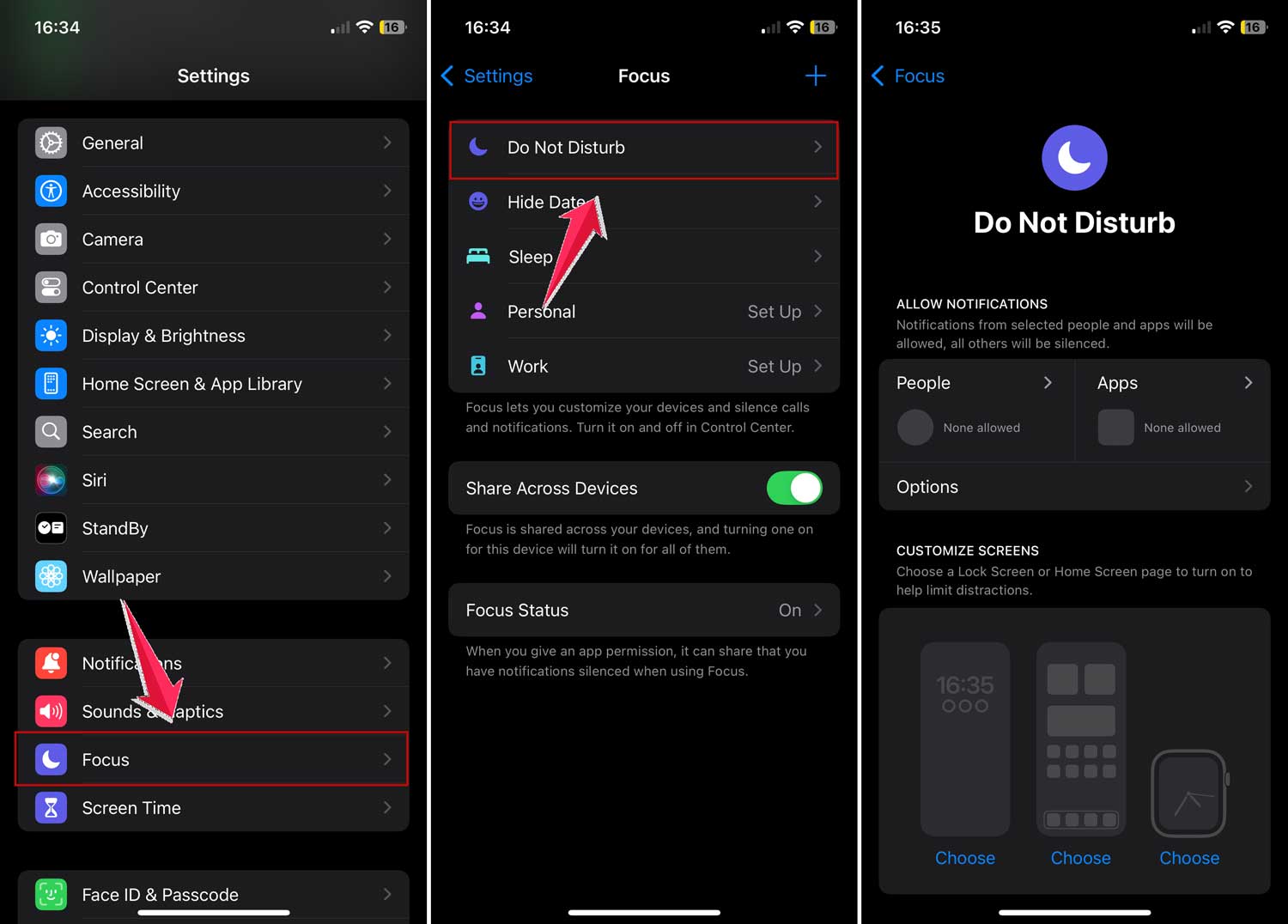
 For iPhone
- Open Settings.
- Tap Do Not Disturb.
- Make sure it’s turned off, or adjust the schedule.
7. Clear your phone app’s cache
Sometimes, your phone app just needs a little spring cleaning:
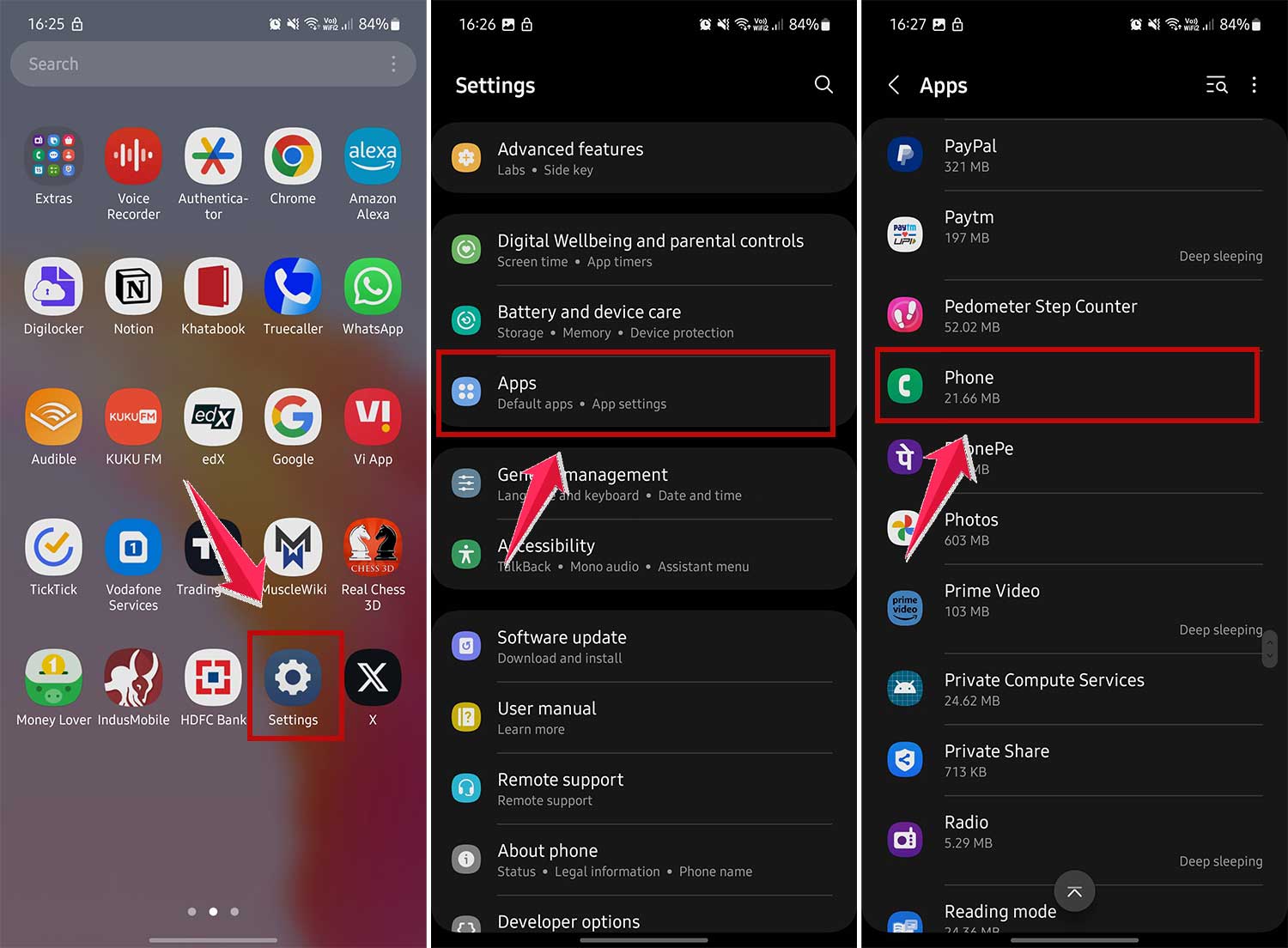
On Android
- Go to Settings.
- Tap Apps & notifications.
- Find and tap your Phone app.
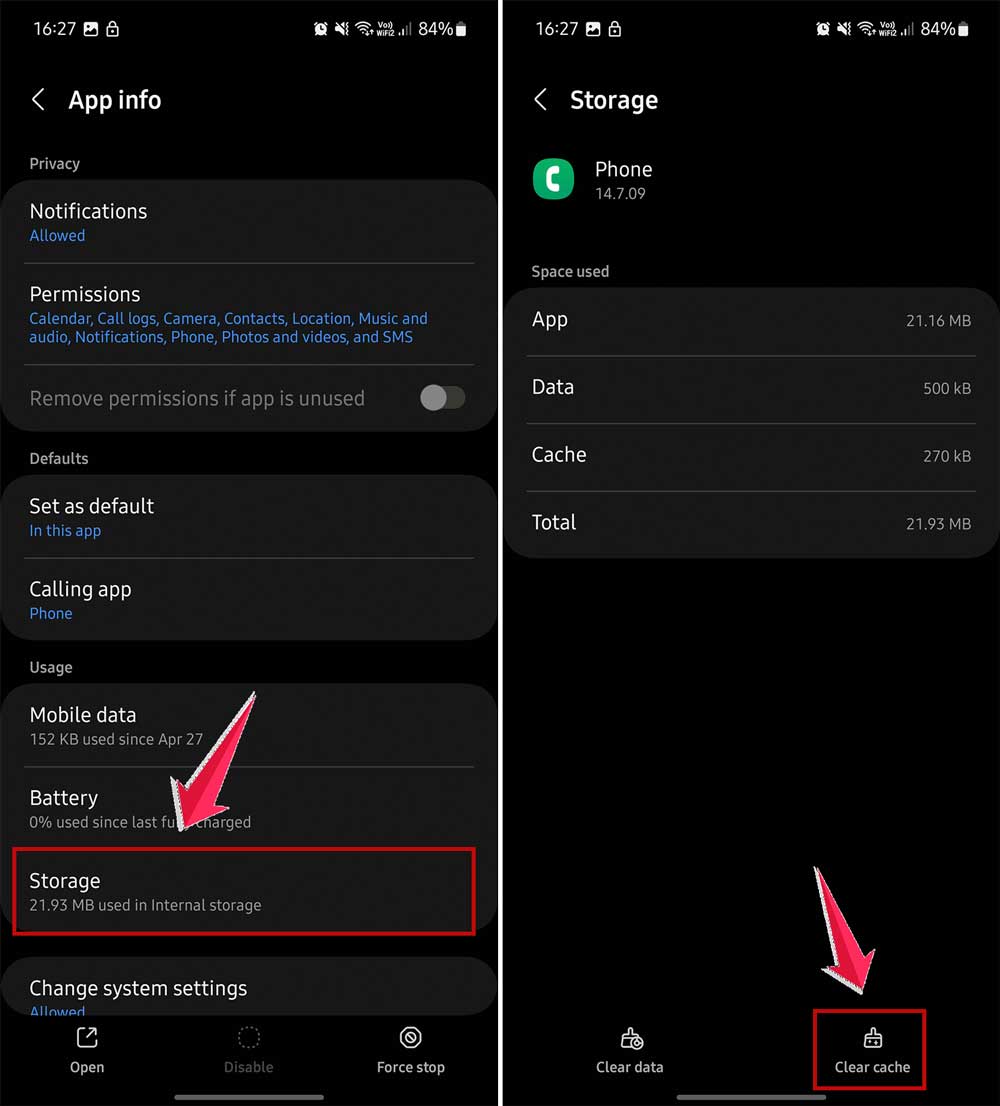
- Tap Storage & cache.
- Tap Clear cache.
For iPhone users
Restarting your phone (as in #4) usually clears the cache.
Remember, your phone is there to help you stay connected. By following these steps, you’ll make sure it’s doing its job right. Keep your software updated, your settings in check, and you’ll be back to chatting with your friends in no time!
The takeaway
When your phone starts playing gatekeeper with your contacts, it can be frustrating. But don’t worry – it’s usually an easy fix.
Your phone isn’t trying to give you the silent treatment; it’s just being a bit overzealous in its protection.
Start by checking your spam blocker settings and reviewing your blocked contacts list. Often, this simple step solves the problem.
If not, try restarting your phone or updating its software. Remember, your phone sometimes just needs a quick refresh.
Contrary to what you might think, blocked calls rarely mean your phone is broken. It’s typically just a case of settings that need adjusting.
You’re in control here – take a few minutes to familiarize yourself with your phone’s call blocking features.
Keep your software up-to-date, and you’ll strike the right balance between staying connected and avoiding unwanted calls. Your phone is there to help you communicate – make sure it’s doing its job right!