Did you know that Google automatically installs an app called “Google Partner Setup” on most Android phones? If you’ve got a device running Android 8 or newer, you probably have this app, even if you’ve never noticed it before.
The Google Partner Setup app plays a key role in making sure your phone’s Google services work smoothly. It’s like a behind-the-scenes helper for many of the Google apps you use every day.
Sometimes, though, you might see a message saying, “Google Partner Setup has stopped.” This can be frustrating but don’t worry. While it might be tempting to delete the app, that could cause problems with other apps on your phone. Instead, let’s talk about what this app really does and how you can fix any issues you’re having with it.
In this article, you’ll learn all about the Google Partner Setup app. We’ll explain why it’s on your phone, what it does, and how to deal with any problems it might cause. By the end, you’ll understand this mysterious app much better and know exactly what to do if it starts acting up.
What is Google Partner Setup, and how does it help your Android phone?
Ever wonder how all those Google apps on your Android phone work so well together? There’s a behind-the-scenes app called Google Partner Setup that makes it happen. This app is a key player in keeping your Google world running smoothly.
Google Partner Setup works hard to keep apps like Gmail, Drive, Photos, and Maps working together seamlessly. It’s like a conductor, making sure all the different parts of your Google experience are in harmony.
But that’s not all it does. Google Partner Setup also helps manage updates for your Google apps. We all know how annoying bugs and glitches can be. This app helps take care of those issues by overseeing updates and tweaking your device settings when needed.
Here’s what else Google Partner Setup does for you:
- It helps you log into Google accounts on different websites.
- It makes sure your Google partner accounts work properly.
- It keeps your information in sync across your apps.
Think of Google Partner Setup as your phone’s personal assistant, working quietly in the background to keep everything running smoothly. It’s an important part of making sure your Android phone gives you the best Google experience possible.
How can you manage Google Partner Setup app issues on your Android?
Many Android users wonder about the Google Partner Setup app. Some think it’s just unnecessary software or “bloatware.” Others worry about how much access it has to their personal information. Let’s break down these concerns and see what’s really going on.
You might have heard that this app collects data for ads and uses up your battery. These worries aren’t completely off-base, but they’re not the whole story either.
Here’s the truth: Google aims to be open about how its services work, including the Partner Setup app. Far from being useless, this app actually helps other apps like YouTube, Google Studio, and Chrome work better on your phone.
While it’s true that the app can use some battery if it runs for a long time, it’s not likely to slow down your phone or leak your data. If you’re noticing your battery draining faster or your data being used up quickly, you can turn off the app for a while. Just remember, it will turn back on by itself later.
If you really want to get rid of the Google Partner Setup app completely, you’d need to do some advanced phone tweaking. But that’s not usually a good idea. Instead, if you’re having trouble with the app, try updating it to the latest version. That often fixes most issues.
Remember, this app is there to help your phone work smoothly with Google services. While it’s good to be aware of what’s on your phone, in this case, the benefits usually outweigh the concerns.
What does “com.google.android.partnersetup” mean on your Android phone?
You might have come across something called “com.google.android.partnersetup” on your Android phone and wondered what it is. Don’t worry. It’s not as complicated as it sounds.
This long string of words is actually just the package name for the Google Partner Setup app we’ve been talking about. Think of it as the app’s full name or ID. It’s how your phone recognizes and keeps track of the app.
So what does this mean for you? Well, this package name helps make sure the Google Partner Setup app works properly on your phone. It’s like an instruction manual that tells your phone how to run the app correctly.
Remember, this is all part of how Google makes sure its services work well on your Android device. You don’t need to do anything with this package name – it’s just there to keep things running smoothly behind the scenes.
How can you add or remove the Google Partner Setup app on your Android?
If you’ve got a newer Android phone, you don’t need to worry about installing the Google Partner Setup app. It’s already there, working quietly in the background. But what if it’s not on your phone, or you’re having issues with it? Let’s break it down:
Adding the app: If, for some reason, the app isn’t on your phone, you can download it from a trusted source. After downloading, you’ll need to turn it on in your phone’s settings. But remember, this isn’t something most people need to do.
Removing the app: If you’re having trouble with the app, you might be tempted to remove it. Here are your options:
- You can uninstall it from the Google Play Store.
- There are more complex ways involving rooting your phone or using something called ADB debugging, but these are for advanced users.
However, it’s usually not a good idea to completely remove this app. It helps many other apps on your phone work properly. If you’re having issues, try these steps instead:
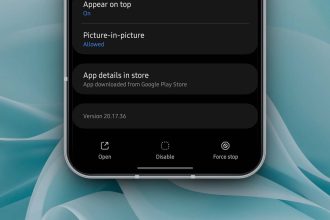
- Force stop the app temporarily.
- Disable the app for a while.
These options let you pause the app without removing it entirely. This way, you can see if it solves your problem without risking issues with other apps on your phone.
Remember, the Google Partner Setup app is there to help your phone work better. If you’re having problems, it’s usually better to update the app or temporarily disable it rather than remove it completely.
The takeaway
Let’s wrap up what we’ve learned about the Google Partner Setup app on your Android phone. This app is like a behind-the-scenes helper that makes sure all your Google apps work well together. It is already installed on most newer Android phones.
Some people worry that this app might be unnecessary or even harmful to their privacy. But in reality, it’s an important part of making your phone work smoothly with apps like Gmail, Google Drive, and Google Maps. If you’re having problems with it, try updating the app or turning it off for a while instead of deleting it completely.
Remember, the Google Partner Setup app is there to help, not harm. It’s designed to make your Android experience better by keeping everything running smoothly. By understanding what it does, you can make better decisions about how to manage it on your phone.
In the end, this app is a key part of what makes your Android phone work so well with Google services. Knowing how to handle it can help you get the most out of your phone while keeping your information safe.
We’d love to hear your thoughts on the Google Partner Setup app. Have you noticed it on your phone? How has it affected your Android experience? Share your comments below in a single line!