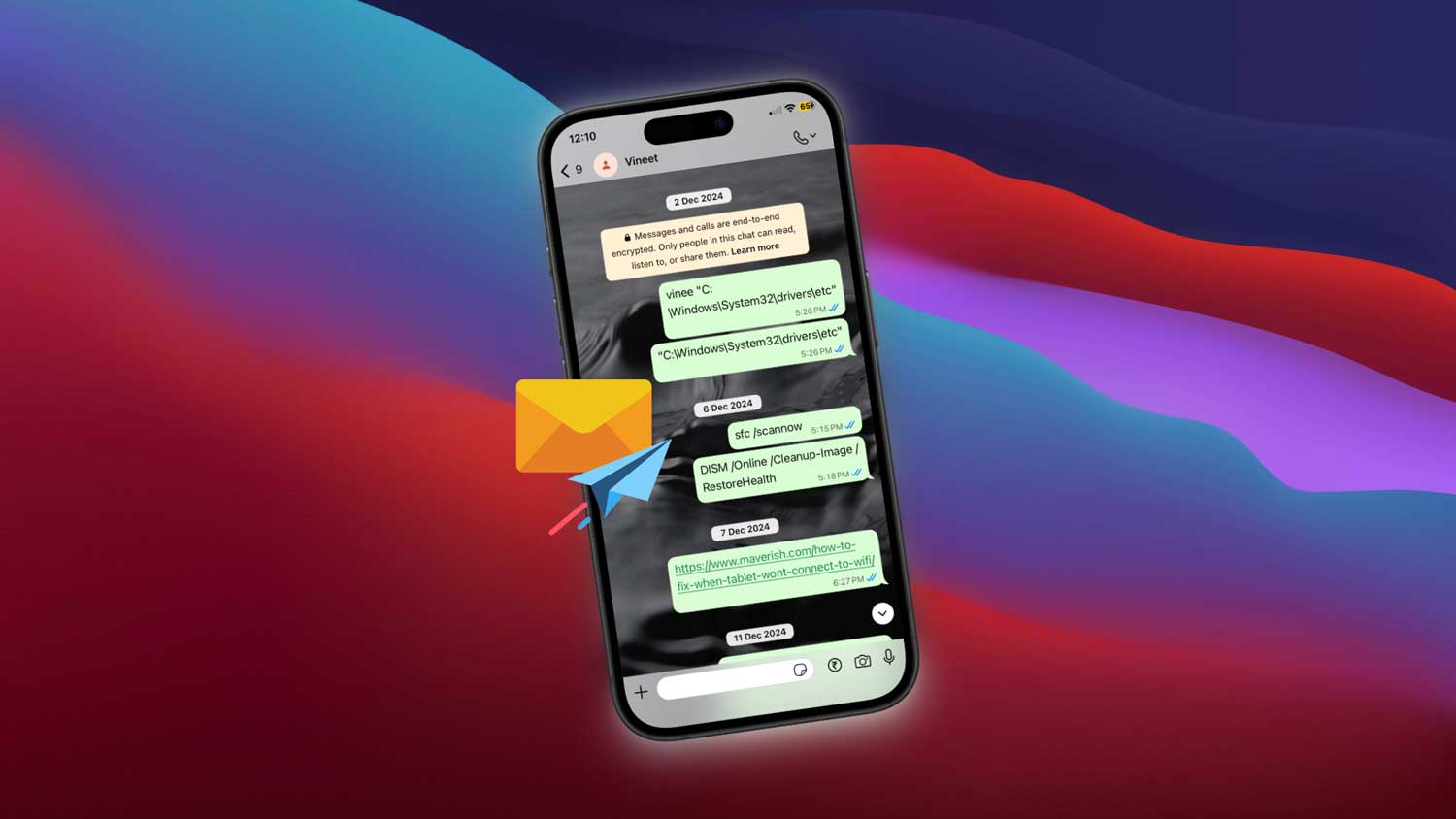
You just hit that “Block” button. Maybe someone was annoying you. Or crossing the line. Or you just needed space.
Now you’re sitting there, staring at your chat list, and wondering. Can they still see our old messages?
Do they still have those pictures? What about that embarrassing text you sent a few weeks ago?
Let’s make this super clear for you.
Yes. They still have access to your old chats.
When you block someone on WhatsApp, it doesn’t delete anything from their device.
That means every message, photo, video, or voice note you shared before the block. They still have it.
Blocking only stops future interaction.
It’s like cutting off a phone line. But everything that was said before that? Still recorded.
So if you’re thinking that blocking someone will magically erase your past. It won’t.
Do old messages disappear from group chats?
Now this is interesting. Let’s say you both are in the same group chat.
Even after you block them, you’ll still see their messages in the group. And they’ll see yours too. Blocking doesn’t apply to group chats.
But outside the group, your private 1-on-1 chat? That’s completely cut off.
They can’t message you privately. And if they try, it’ll never get delivered.
What about messages on your side?
Nothing gets removed from your side either unless you delete it yourself.
The chat remains in your WhatsApp like any other conversation. Blocking doesn’t make the chat vanish.
If you want it gone, you’ll have to delete or archive the chat manually.
Blocking someone doesn’t wipe the past. It just blocks future messages.
But here’s what they can’t do anymore
Once blocked, they can’t send you new messages. They won’t see your “last seen” or online status.
Your profile picture and WhatsApp status freeze in time for them. stuck on whatever it was before you blocked them.
It’s like putting them in a digital time capsule.
They won’t get any updates. They won’t know if you’re online. They’ll just see the last thing they saw before you blocked them.
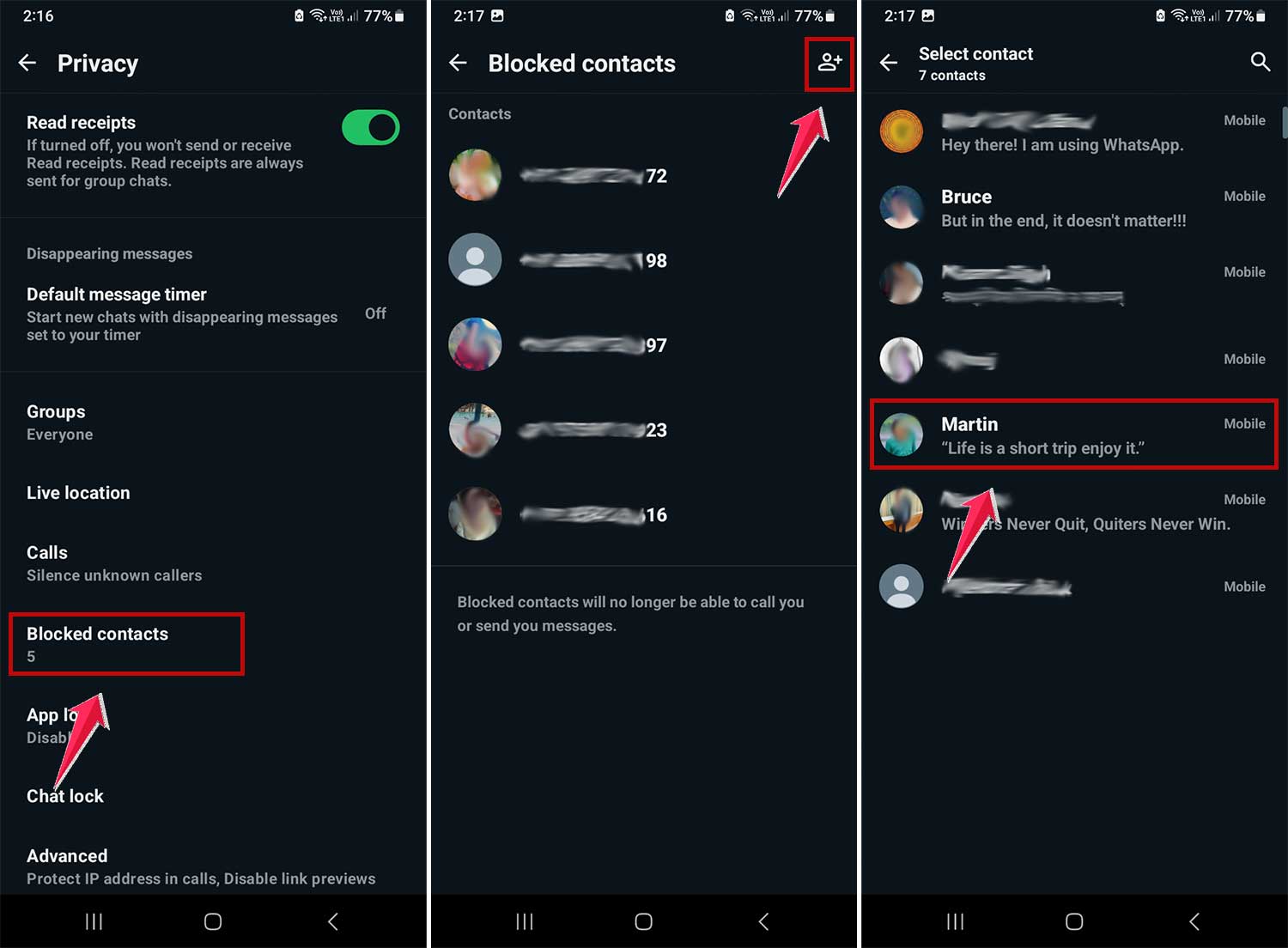
How to block someone on Android?
- Open WhatsApp.
- Tap the three dots in the top right.
- Go to “Settings.” Tap “Privacy.”
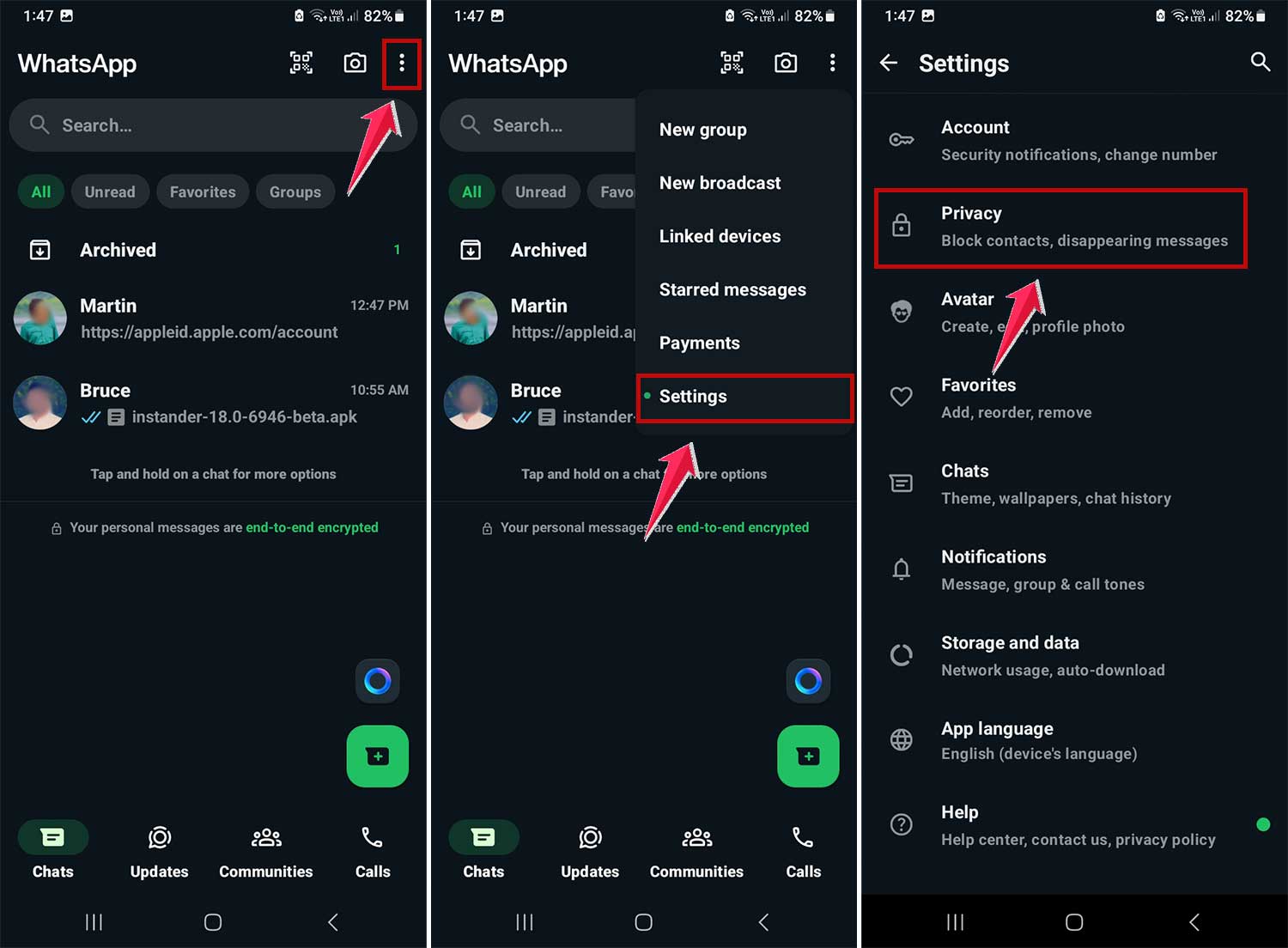
- Now choose “Blocked Contacts.”
- Tap the plus sign and select who you want to block.
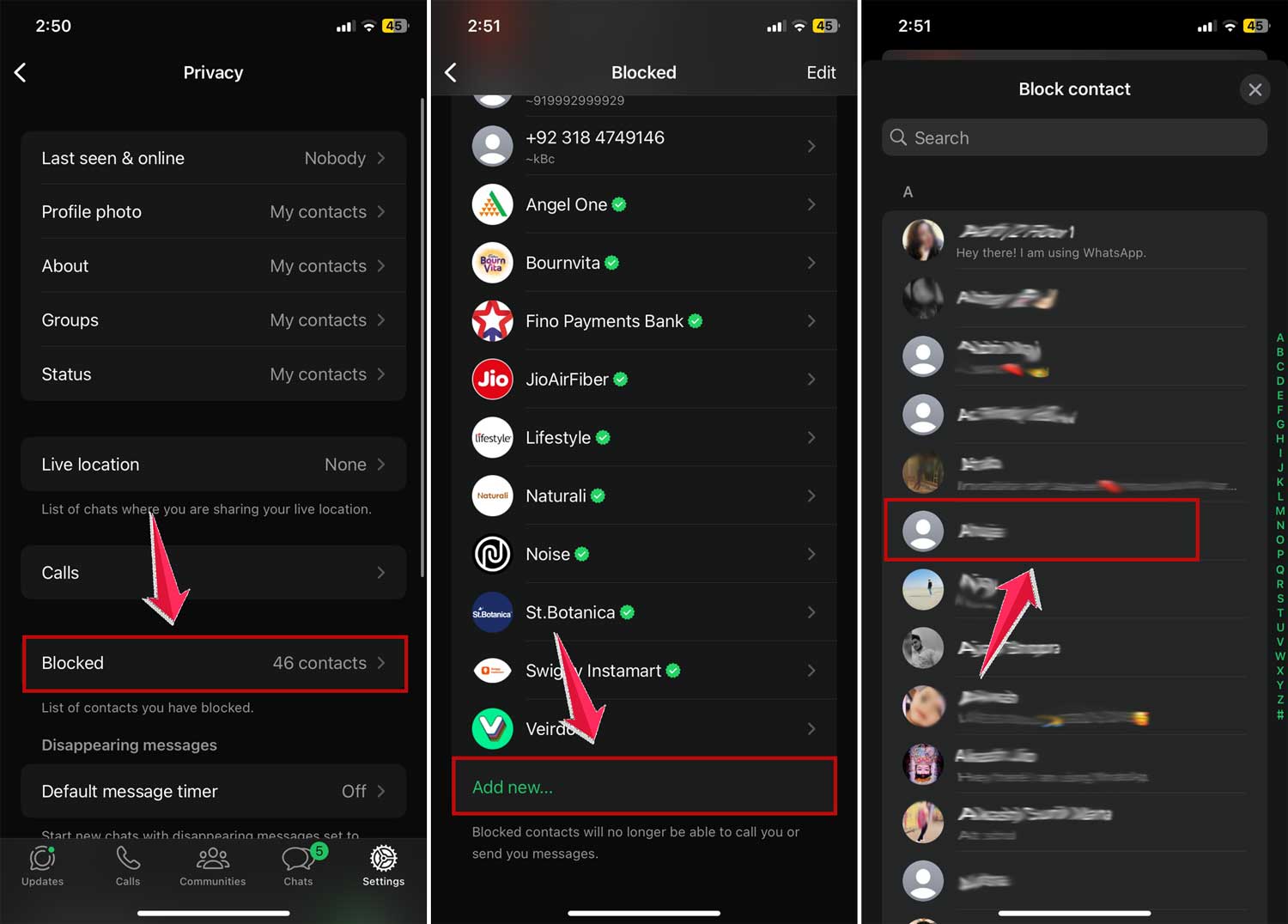
How to block someone on iPhone?
- Open WhatsApp.
- Tap “Settings” at the bottom.
- Go to “Privacy.”

- Tap “Blocked.”
- Select “Add New.”
- Pick the contact you want to block.
Done. They’re now blocked. And they won’t know it. WhatsApp doesn’t notify them.
What if you unblock someone later?
So you changed your mind. Or the drama is over. You want to unblock them.
That’s easy. But here’s what you need to know.
When you unblock someone, they can message you again. But any messages they sent while they were blocked? You’ll never see those. There’s no “backlog” waiting to load.
Unblocking doesn’t recover messages. It just opens the door again. From that point forward, it’s like a fresh chat.
Want to hide or delete your own old messages?
You can. But only from your side.
If you want to clean things up, just open the chat, tap and hold the message, and hit “Delete.”
But remember. It only deletes it for you.
The other person still has the message unless they delete it too.
If you want to remove something from both sides, WhatsApp has a feature called “Delete for Everyone.” But that only works if:
- It’s been less than 2 hours since you sent the message
- You both are still unblocked
- You choose “Delete for Everyone,” not “Delete for Me.”
Once you block someone, that option goes away.
So if there’s something you regret sending, delete it before you block them. not after.
Quick tip: archive instead of delete
Sometimes, blocking someone feels like too much. Maybe you just want to hide the chat and move on.
That’s where Archiving comes in.
- Go to the chat.
- Swipe left on iPhone, or tap and hold on Android.
- Choose “Archive.”
Now the chat is hidden, but not deleted. It’s still there if you ever want to look back.
It’s like sweeping something under the rug. but neatly.
Blocking isn’t permanent
You can block. You can unblock. You can mute. You can archive. WhatsApp gives you options.
Use what works for you.
You’re in control of your space. No one has the right to cross your comfort zone. not online, not offline.
The takeaway
So here’s the truth.
When you block someone on WhatsApp, they can still see all the old messages you shared with them. unless they delete them from their phone.
Blocking doesn’t erase the past. It just stops the future.
They can’t contact you anymore. They won’t see when you’re online. They won’t see your new profile pic or status updates. But what’s already there? It stays.
If that bothers you, you can delete the chat on your side. You can ask them to delete theirs. Or you can just move on. knowing you’ve cut the line.
Blocking is peace. It’s control. It’s your right.
So next time you feel uncomfortable or overwhelmed, don’t hesitate. Block who you need to block.
WhatsApp is your space. Keep it safe.
And if you ever want to talk, unblocking is just a tap away.