Want to add a personal touch to your iPhone? Customizing your voicemail greeting is a great place to start. It’s a simple way to make your phone more uniquely yours and leave a lasting impression on callers.
Whether you’re aiming for a professional tone or something more personal, changing your voicemail greeting is easier than you might think.
In this guide, you’ll learn how to create a voicemail message that reflects your style and personality. Let’s get started with making your iPhone truly yours!
How to Change Your Voicemail Greeting on iPhone
Ready to give your iPhone a personal touch? Changing your voicemail greeting is a great way to start. This guide works for iPhones using iOS 10 and newer versions with the default Phone app.
If you’re using a different calling app, the general process is similar, but some steps might vary.
Here’s how to change your voicemail greeting:
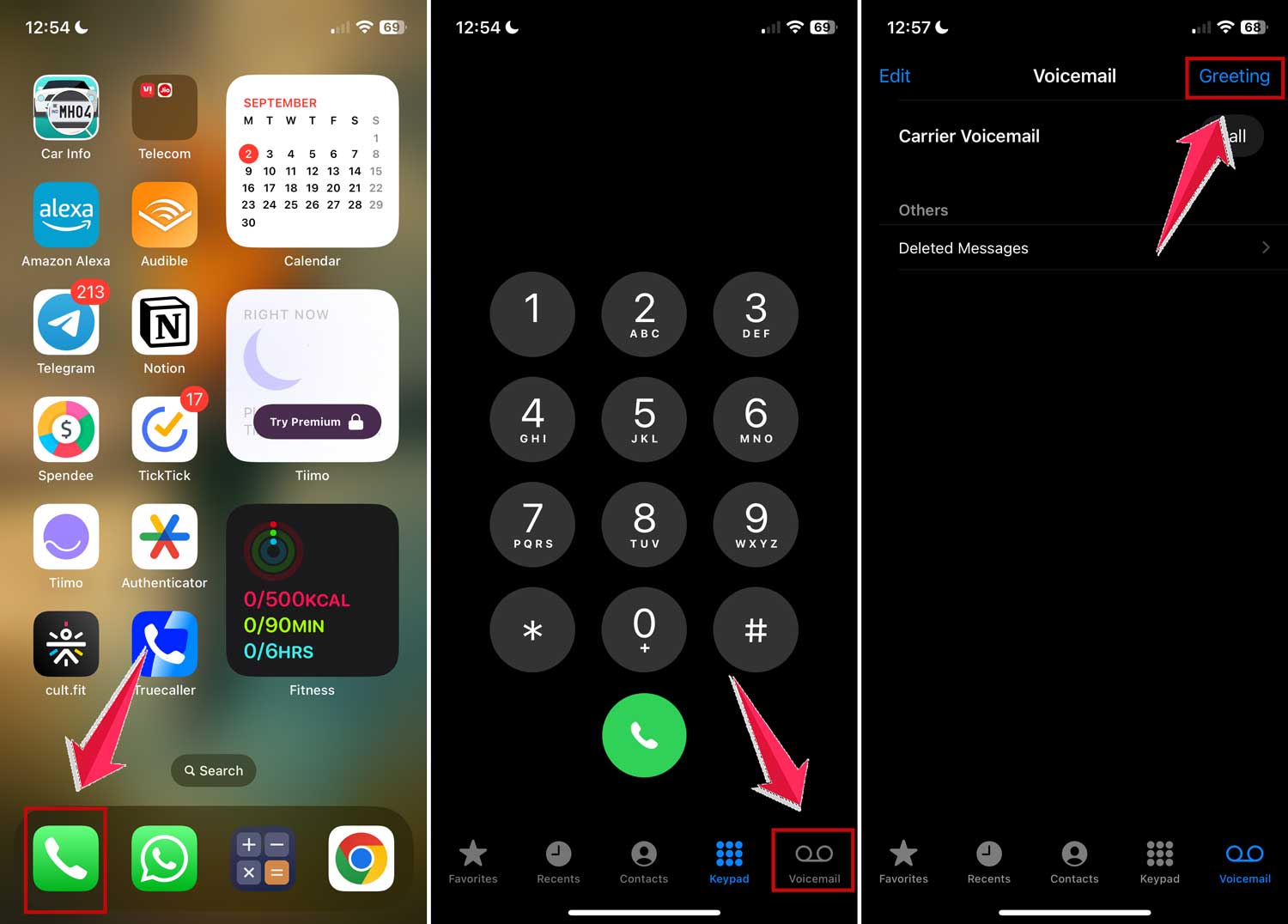
- Open the Phone app on your iPhone.
- Tap Voicemail at the bottom right of the screen.
- Select Greeting in the upper left corner.
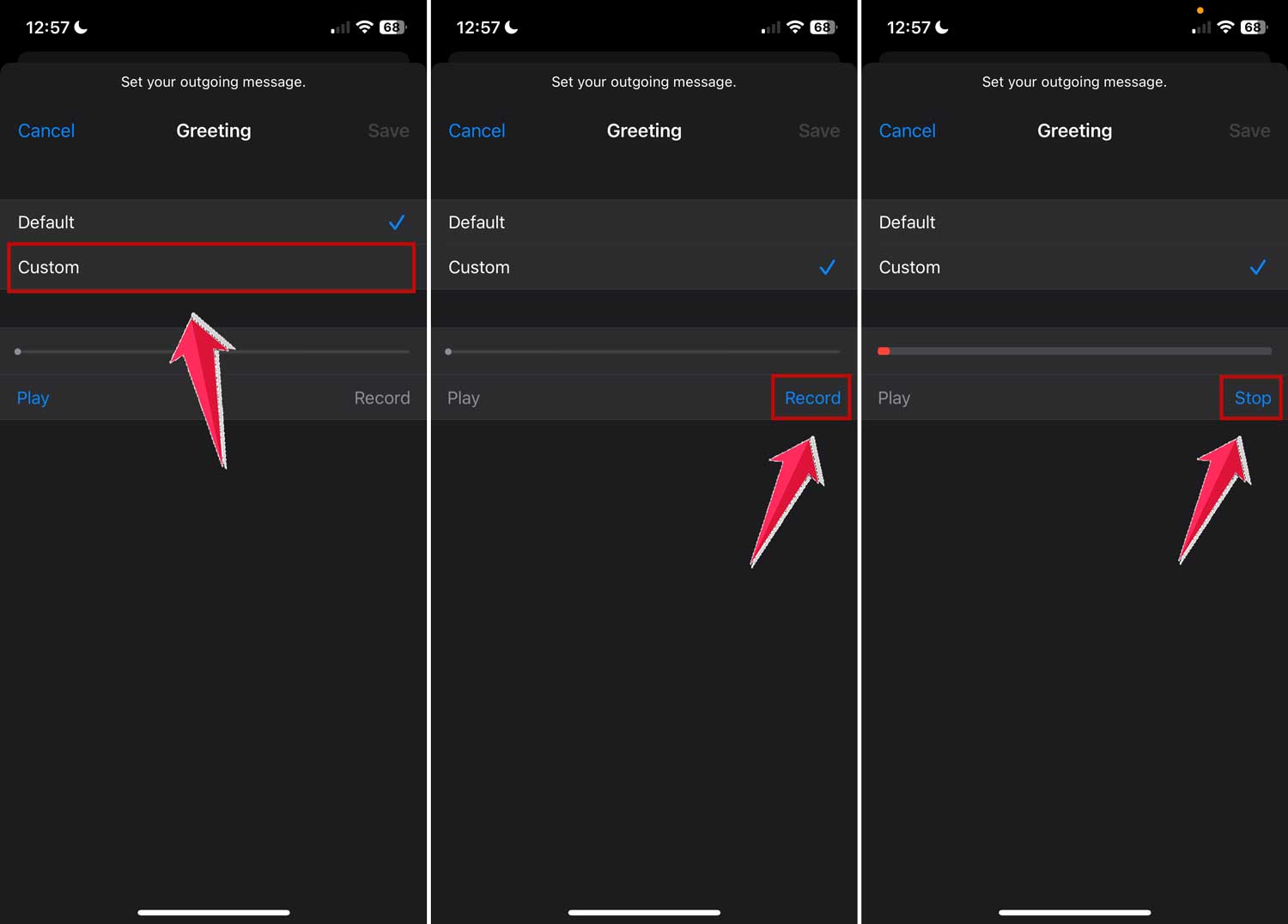
- If this is your first time changing your greeting, you’ll see Default selected. Tap Custom to create a new greeting.
- If you’re updating an existing custom message, you’ll already see Custom selected.
- Tap Record and speak clearly to create your new greeting.
- Hit Stop when you’re finished.
- To review your greeting, tap Play.
- If you’re happy with it, tap Save to keep your new greeting.
- If you want to try again, just tap Record once more, speak your greeting, and tap Stop. You can listen back by hitting Play, and when you’re satisfied, tap Save.

What If You Have Dual SIMs On Your iPhone?
If you have an iPhone XS or newer model with dual SIM support, you can set different voicemail greetings for each number.
Just follow the same steps above for each line to keep your professional and personal greetings separate.
Wrapping Up
Now you know how to make your iPhone’s voicemail greeting truly your own. It’s a simple process that can make a big difference in how you present yourself to callers.
Whether you want to sound professional or add a personal touch, your new custom greeting will help you achieve that goal.
Remember, you can always update your greeting whenever you want. Maybe you’ll change it for different seasons, special events, or just when you feel like trying something new.
The process will be the same each time, so you can easily refresh your message.
Your voicemail greeting is often the first impression callers get when they can’t reach you directly. By customizing it, you’re adding a unique touch that makes your phone more distinctly yours.
It’s these small details that can make your iPhone feel like a true extension of your personality.
So go ahead and give it a try. Create a voicemail greeting that represents you, and don’t be afraid to update it from time to time.