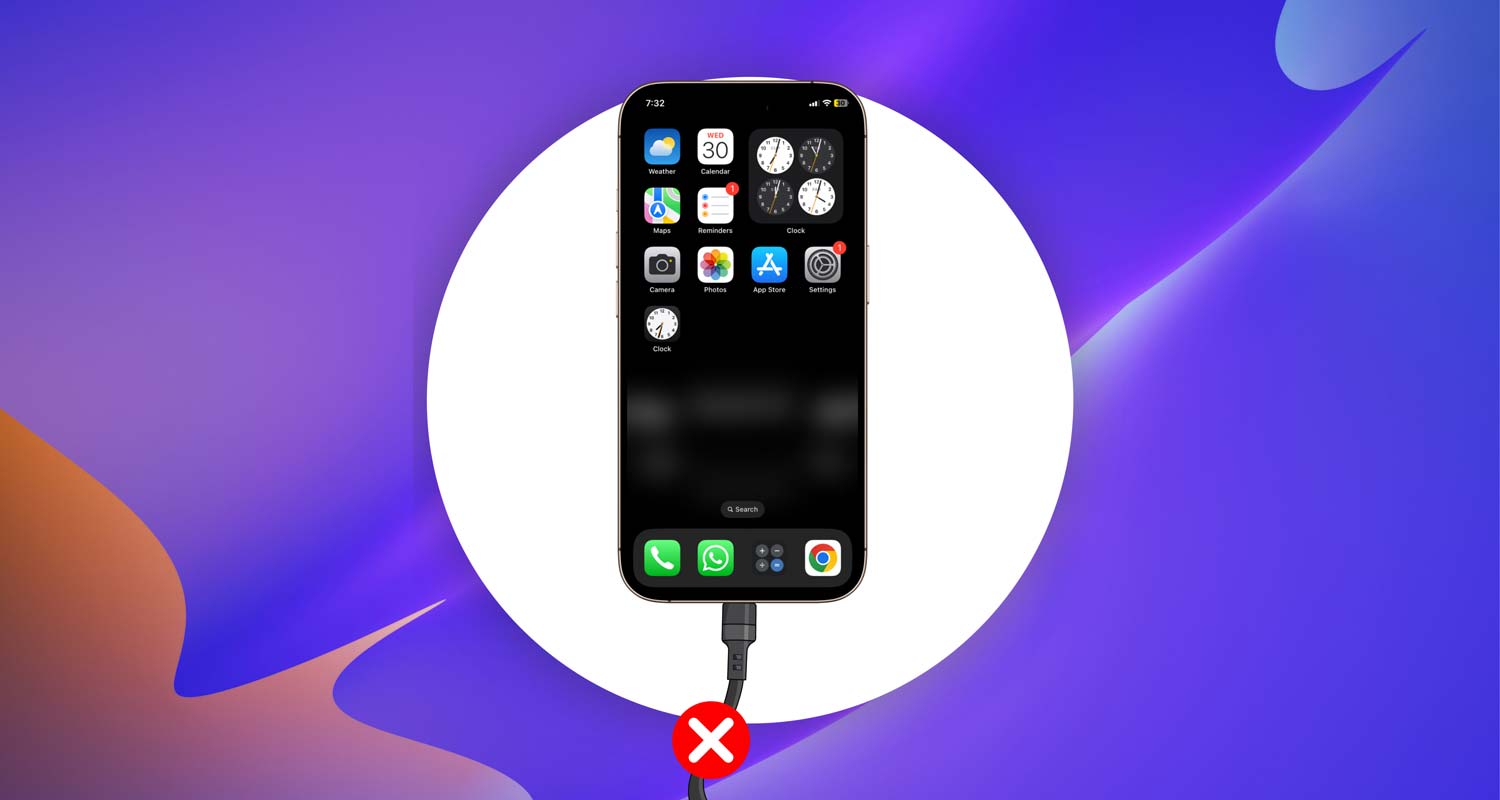
Ever plug your phone in, only to realize it’s not charging at all? Then you try the same charger on your friend’s phone—and it works just fine.
Yep, super frustrating. You’re not alone. This happens to a lot of us, and it often shows up out of nowhere.
Sometimes, it’s just something small like a bit of lint in the charging port. Other times, it could be a sneaky software bug or even a tired old battery.
Whatever the reason, it’s a problem you can’t ignore. Because let’s face it—your phone is your lifeline. No charge? No calls, no messages, no maps, no memes.
But here’s the good news—you can fix it. And you don’t need to be a tech expert to do it.
In this guide, I’m going to walk you through everything you need to check and try. Step by step. It’s not hard, and most of the time, you’ll have your phone charging again in no time.
So, let’s figure this out together. Ready?
What Could Be Causing This Charging Problem?
If your charger is working on other phones but not on yours, there’s clearly something specific going on with your device.
Let’s go over the most common reasons why this happens. I’ll keep it simple and easy to follow.
1. Check If Your Charging Port is Betraying You
Start here. Your charging port might be blocked. It’s easy for dust, lint, or pocket debris to sneak in and mess things up. Even a tiny bit can stop your cable from making a proper connection.
Use a flashlight and carefully look inside the port. See anything stuck in there? If you do, gently clean it out using a soft brush or a wooden toothpick. Never use metal tools—it’s not worth the risk.
If the port looks loose or damaged, then that’s a bigger issue. You might need to take it to a repair shop.
2. Is Your Charging Cable Sneaky?
Don’t just trust the way your cable looks. It might seem fine on the outside, but inside? It could be worn out or broken.
Try using a different cable that you know works. If your phone starts charging with the new one, then bingo—you’ve found the problem.
3. Your Software Might Be Sabotaging Charging
Sometimes it’s not the hardware at all. Your phone’s software can mess things up too. Maybe it’s not recognizing the charger, or something crashed in the background.
First, try restarting your phone. If that doesn’t help, check for a software update. Updates often fix little bugs that cause weird problems like this.
4. Your Battery Health Could Be Playing Tricks
Batteries wear out over time. If yours is getting old, it might not charge properly anymore. You can check your battery health using built-in settings or a battery health app.
If it shows poor health or reduced capacity, it might be time to replace the battery.
5. Is the Power Source the Real Culprit?
Don’t forget to check the obvious. Sometimes the problem isn’t your phone or your cable—it’s the outlet or power source.
Try charging from a different wall outlet, a computer USB port, or a power bank. If your phone starts charging there, then the original outlet was the problem all along.
Alright, now that we’ve covered the common causes, let’s move on to how you can fix each one.
How to Fix When Your Charger Isn’t Working on Your Phone
We’re going to go step-by-step now. Try each of these, one by one. Most of them are quick and easy. You’ll likely find the fix without needing to visit a repair shop.
#1 Check Your Charging Port
Let’s start with the port. It’s a common troublemaker.
Here’s what you should do:
- Use a flashlight to look inside the charging port.
- If you see dust or lint, gently clean it using a wooden toothpick or soft brush.
- Be gentle. Don’t use anything metal or sharp—it can damage the pins.
If the port still feels loose or your cable won’t stay in securely, it’s time to see a pro.
#2 Test with a Different Cable
Even if your cable looks fine, it could be the issue. Try this:
- Take a cable that you know works with another phone.
- Plug it into your phone.
- If your phone starts charging, then your original cable is the problem.
Also, stick with certified or original brand chargers. Cheap ones can cause more problems than they solve.
#3 Restart Your Phone
Sometimes, your phone just needs a quick refresh.
Here’s how to restart it:
- Hold the power button (and volume button if needed) until the shutdown screen appears.
- Slide to power off.
- Wait 10 seconds, then press the power button again to turn it back on.
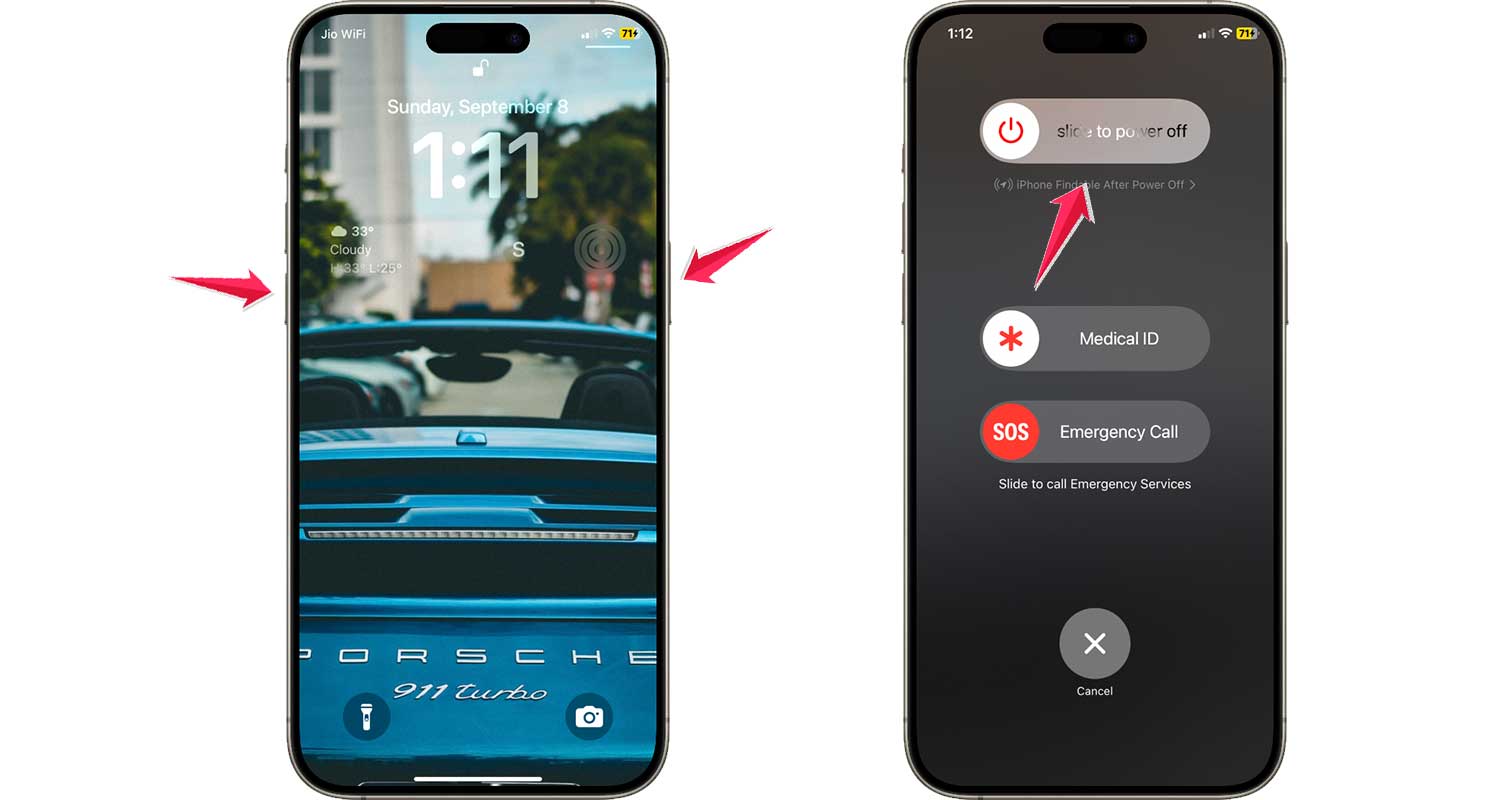
After it boots up, plug in your charger and see if it works.
#4 Update the Software
Outdated software can cause small bugs, including charging issues. Always keep your phone updated.
Here’s how to check:
- Go to Settings.
- Tap General.

- Tap Software Update.
- If an update is available, tap Update now.

Once updated, restart the phone and try charging again.
#5 Give Your Battery a Health Check
If you’ve had your phone for a while, your battery might be slowing down.
To check battery health:
- Open Settings.
- Tap Battery.
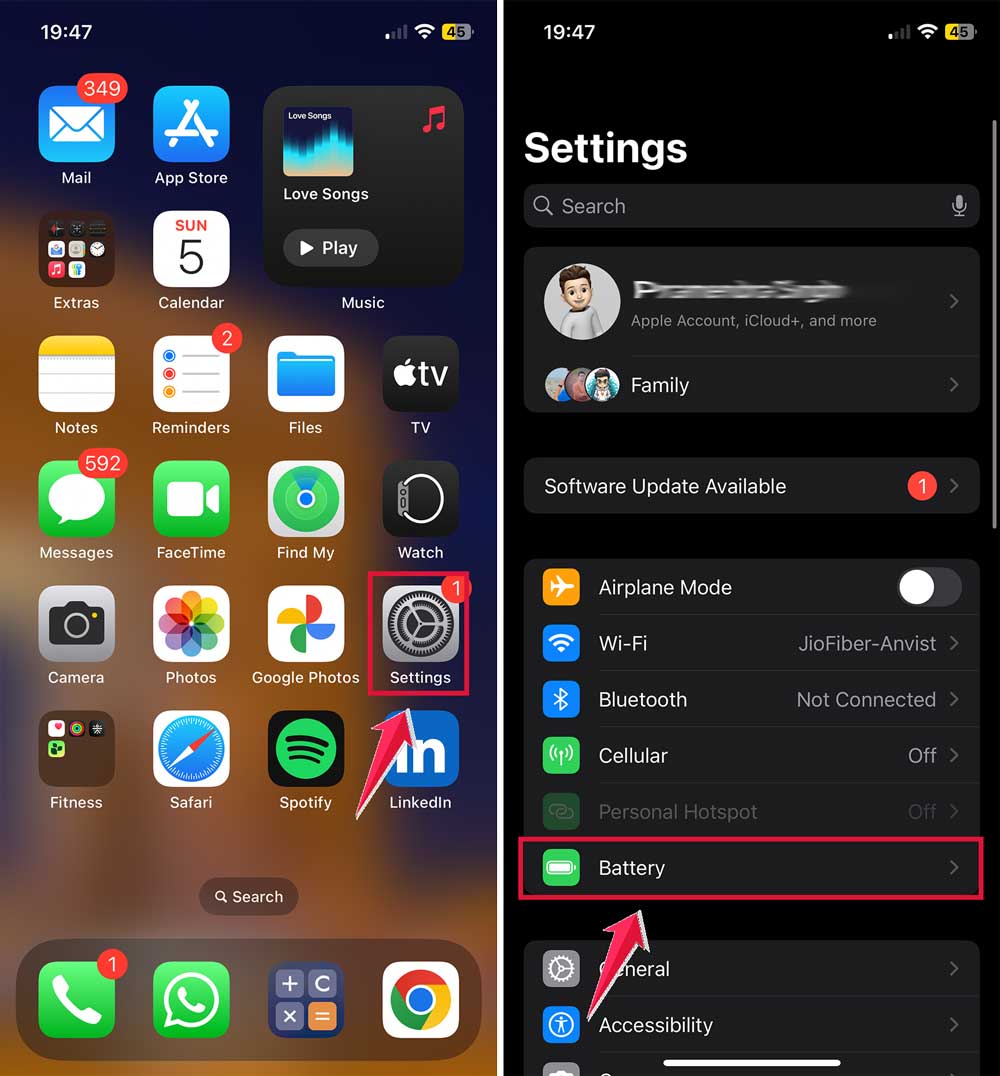
- Tap Battery Health & Charging.
- Look at the Maximum Capacity percentage.
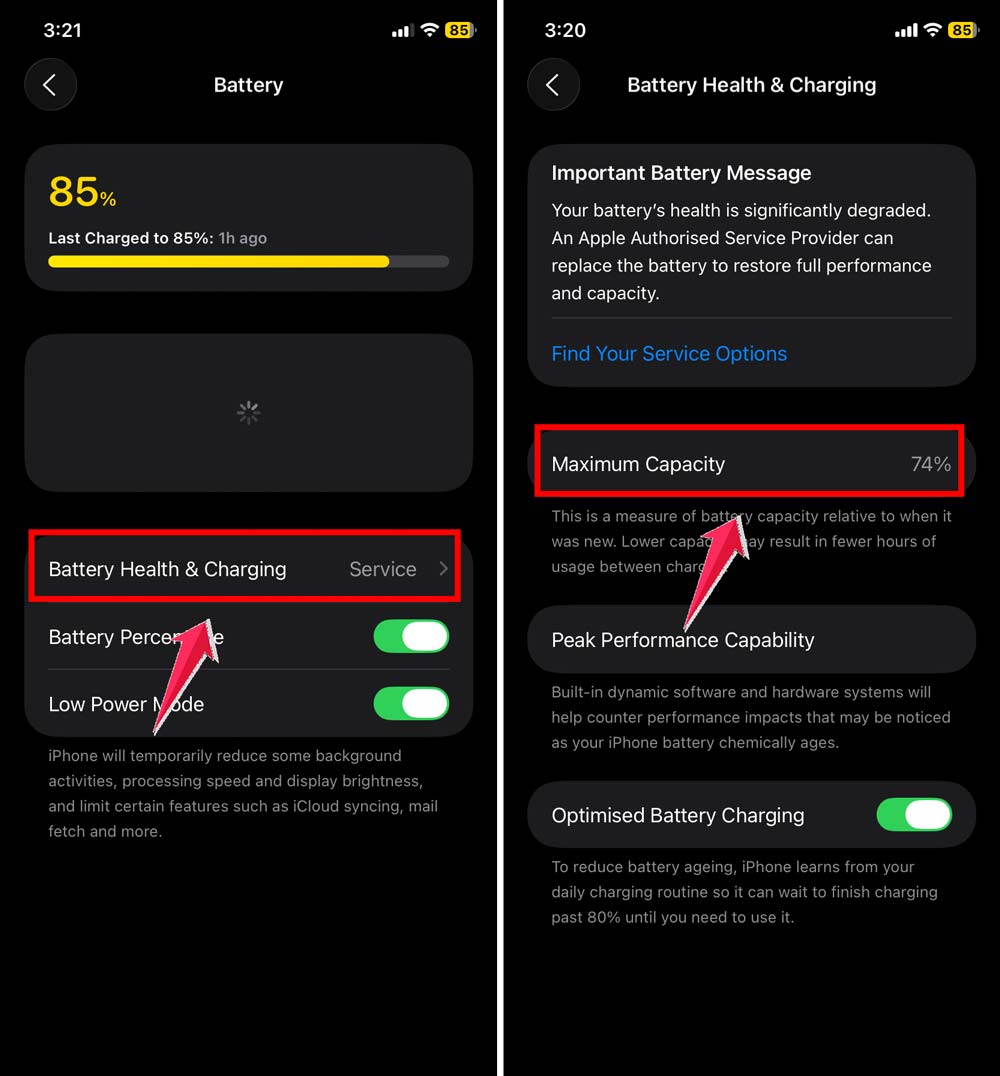
If it’s below 80%, your battery may need replacing.
#6 Try a Different Power Source
Last but not least—check the outlet.
Here’s what to try:
- Plug your charger into a different wall outlet.
- Try charging from a computer USB port.
- Use a portable battery pack if you have one.
If your phone charges in one of these, then the original outlet or power strip might be faulty.
Extra Tips to Keep Your Phone Charging Smoothly
1. Keep Your Charging Port Spotless. Make it a habit to check your charging port now and then. Clean it gently if needed. A clean port means a solid connection and fewer charging problems.
2. Get Chargers You Can Trust. Cheap chargers might save you a few bucks now, but they can damage your phone in the long run. Invest in a good-quality charger from a trusted brand. It’s worth it.
3. Watch Your Battery Habits. Try not to let your battery drop below 20% too often. And don’t leave it plugged in all night every day. These small habits help your battery stay healthy longer.
4. Store Cables Safely. Don’t wrap cables too tightly or bend them sharply. They’ll last longer that way. And having a spare cable handy? Always a good idea.
5. Keep a Charger in Every Bag. Life gets busy. Keep a charger or a small power bank in your bag. That way, you’re never stuck with a dead phone when you’re out and about.
The Takeaway
It’s annoying—your charger works on every phone but yours. But most of the time, the fix is simple.
It could be dust in the port, a bad cable, or just a quick restart that does the trick. And hey, don’t fall for the idea that all chargers are the same—they’re not.
Take a few minutes to go through the tips above. You’ll likely find the issue and fix it without needing to visit a repair shop.
Keep your device clean, use good-quality accessories, and stay on top of software updates. Your phone—and your peace of mind—will thank you.
Got your own tips or questions? Share your thoughts in the comments!