Are you staring at an online form, trying to remember a zip code? Or maybe you’re about to make an important call but can’t recall the area code?
Don’t worry – you’re not alone. Every day, thousands of people search for these codes online, and you’ve come to the right place for help.
Zip codes and area codes are essential for many daily tasks, from online shopping to making phone calls. But with over 41,000 zip codes in the US alone, it’s no wonder you can’t keep them all straight. The problem is real: entering the wrong code can lead to shipping delays, failed transactions, or misdirected calls.
That’s why you’re here, looking for a quick and reliable way to find the right codes. Good news – the internet has made this task easier than ever.
In the next few minutes, you’ll learn about user-friendly tools and simple tricks to find any zip code or area code you need.
Ready to solve your code conundrum? Let’s jump right in and get you the information you need fast and hassle-free!
How to find zip codes online
Zip codes are crucial for accurate mail delivery. Here’s how you can find them easily:
1. Use the USPS Zip Code Lookup tool
The United States Postal Service (USPS) offers the most reliable zip code finder. Here’s how you can use it:
- Go to the USPS Zip Code Lookup website.
- Choose to search by address, city, or state.

- Enter the information you have.
- Click “Find“.

The tool will give you the correct zip code, including the four-digit extension for more precise locations.
2. Try Google or Bing
Search engines can be your quick go-to for finding zip codes. Here’s what you can do:
- Open Google or Bing.
- Type the address or city and state, followed by “zip code“.
- Press Enter.
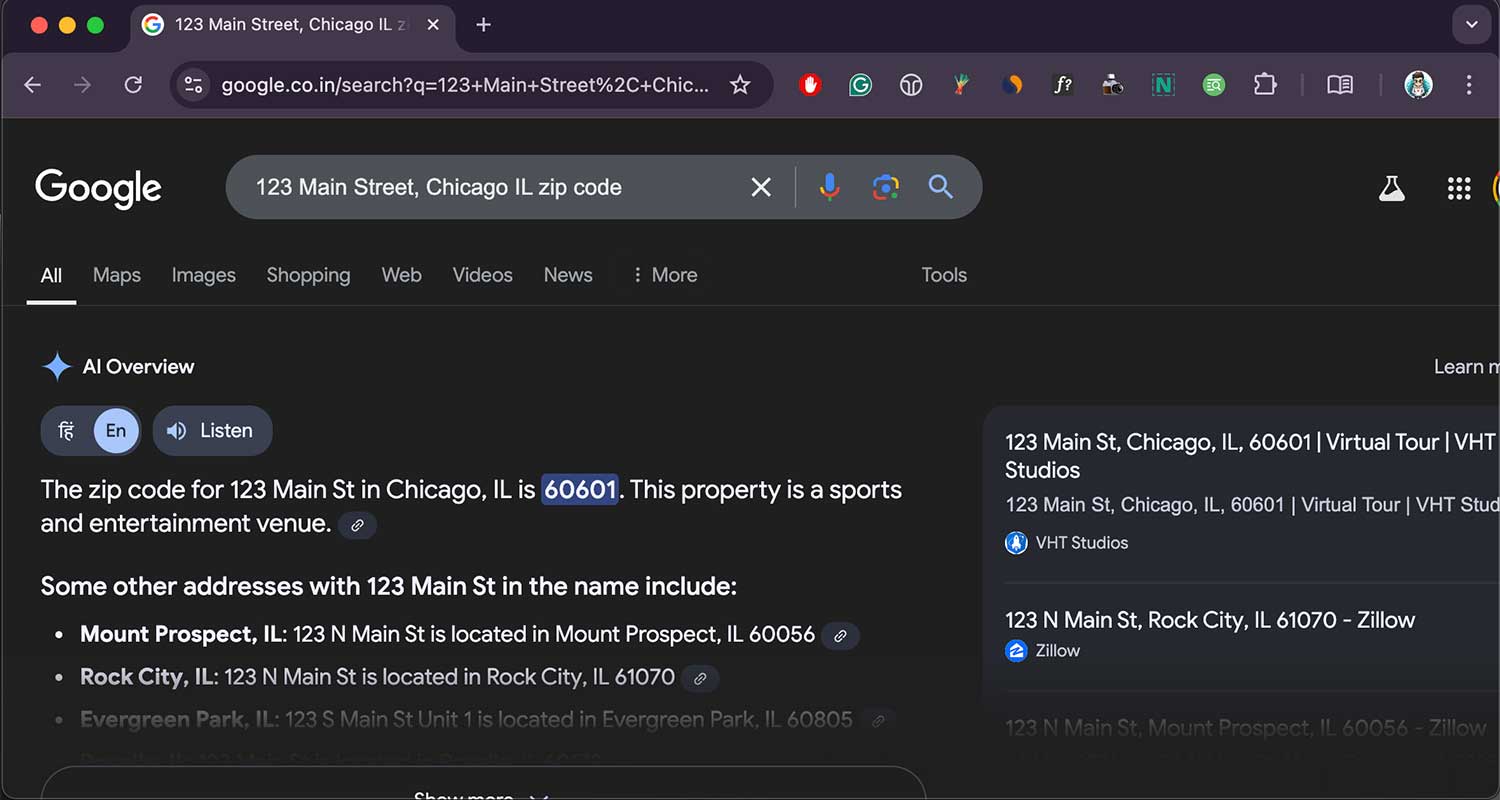
For example, search for “New York NY zip code” or “123 Main Street, Chicago IL zip code“.
The search results will usually display the zip code right at the top, saving you time from clicking through multiple websites.
3. Use specialized websites
Several websites specialize in zip code lookups. Some popular options include:
- Zip-Codes.com: Offers additional features like radius search and distance calculators
- UnitedStatesZipCodes.org: Provides map views and state-specific zip code lists
- ZipInfo.com: Allows you to include extra details like county names and time zones in your search
These sites can be particularly helpful if you need more than just the basic zip code information.
How to find area codes online
Area codes help you make phone calls to specific regions. Here’s how to find them:
1. Use search engines
Just like with zip codes, search engines can quickly provide area code information:
- Open Google, Bing, or Yahoo.
- Type the city and state name, followed by “area code“.
- Press Enter.
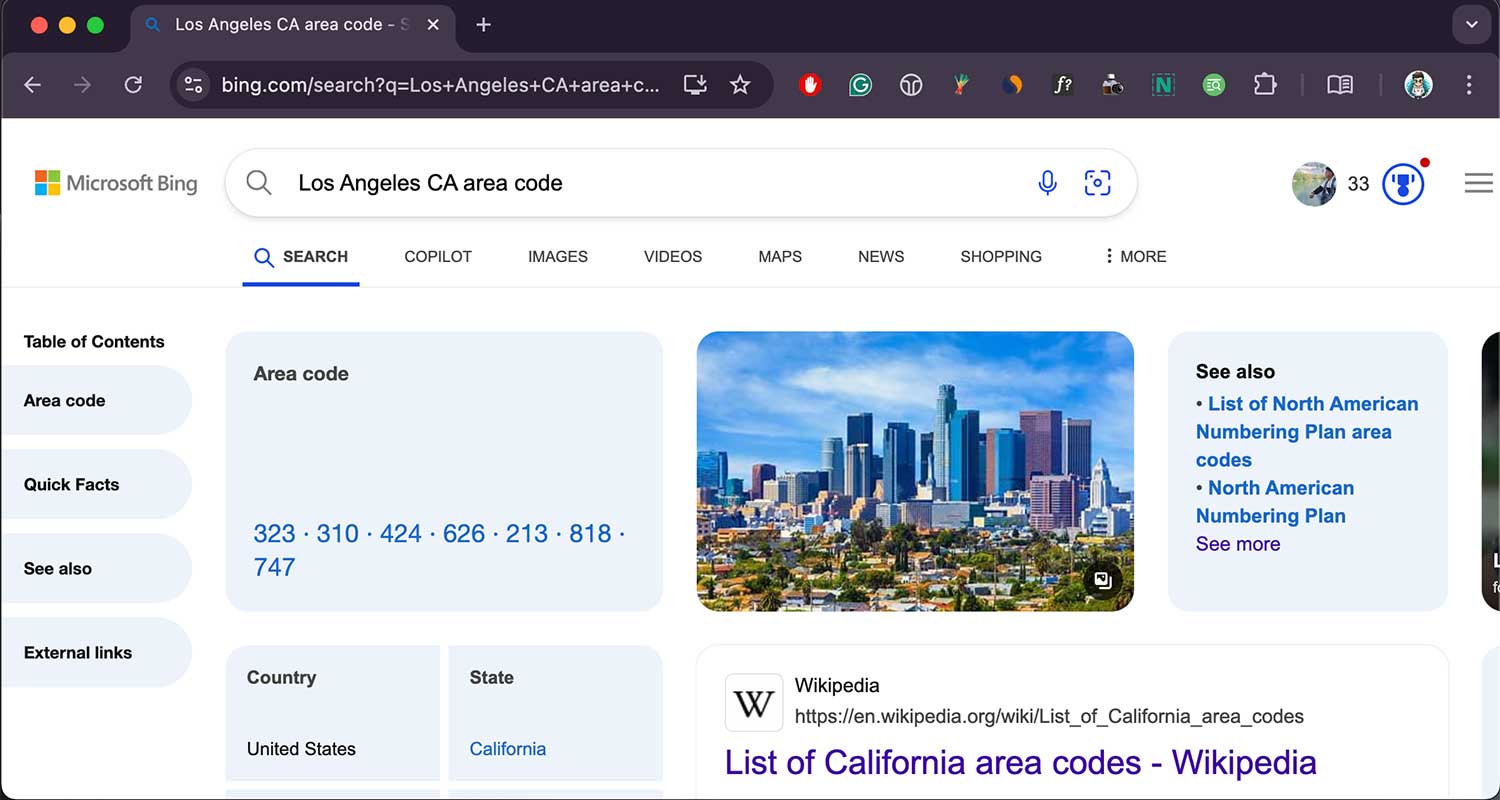
For example, search for “Los Angeles CA area code” or “Miami FL area code“.
The area code will typically appear at the top of the search results, often with a brief explanation of its coverage area.
2. Try Wolfram Alpha
Wolfram Alpha is a computational knowledge engine that can provide detailed information about area codes:
- Go to the Wolfram Alpha website.
- Type the city and state, or the area code you’re looking for.
- Press Enter.
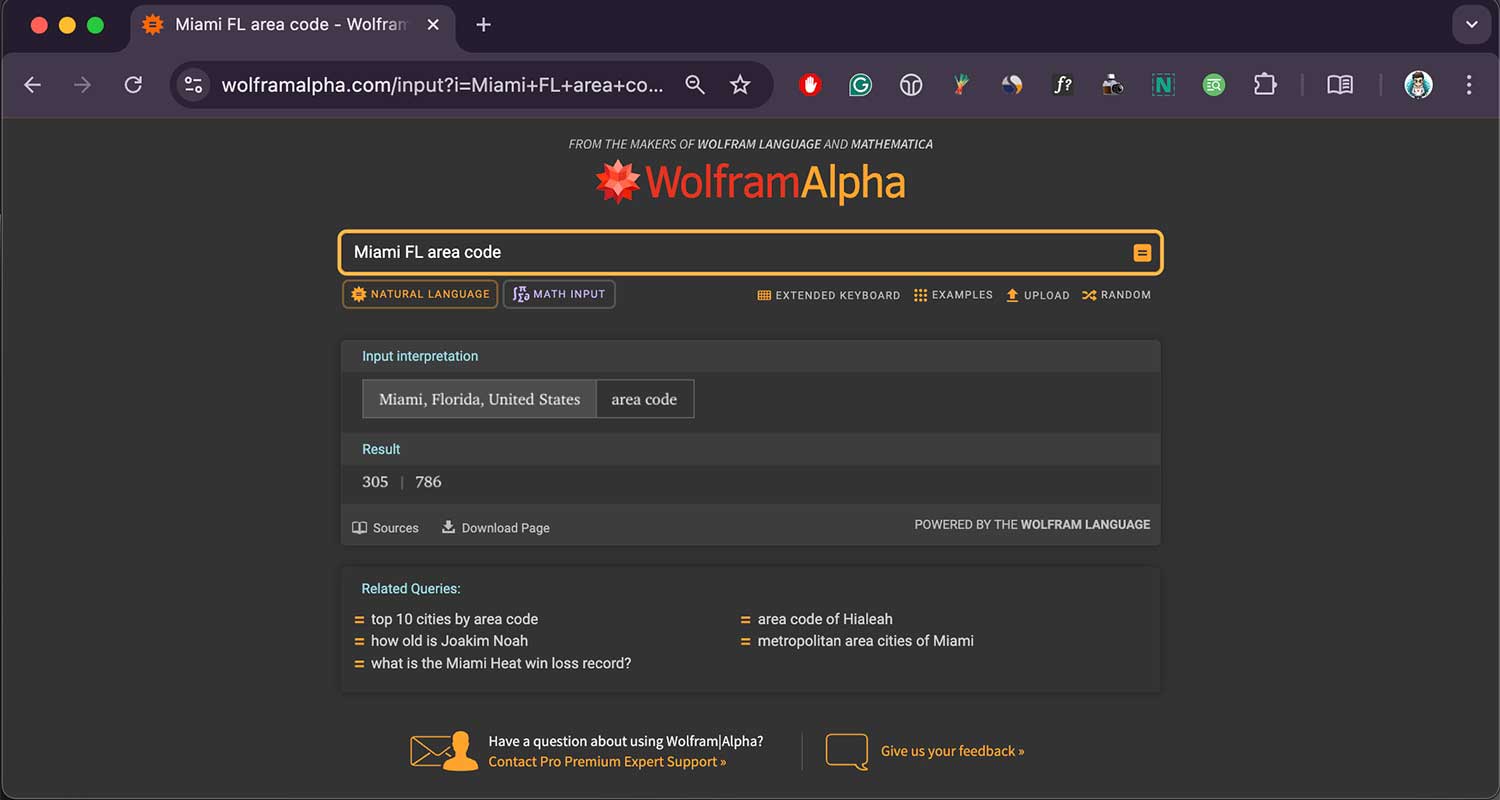
Wolfram Alpha will give you not just the area code, but also additional information like when it was established and what regions it covers.
3. Use specialized area code websites
Several websites focus specifically on area codes. Some reliable options include:
- AllAreaCodes.com: Offers detailed maps and information about each area code.
- AreaCode.org: Provides a simple interface for quick lookups.
- CountryCodes.com: Useful for finding international calling codes as well.
These sites can be particularly helpful if you need to look up multiple area codes or want more detailed information about a specific code.
Tips for efficient zip code and area code searches
To make your online searches more effective, keep these tips in mind:
1. Be specific when searching for codes
When you’re looking up a zip code or area code, give as much detail as you can. If you know the street name, city, and state, include all of that information.
The more specific you are, the more likely you are to get the right code on your first try. This saves you time and helps avoid mistakes.
2. Use more than one website to check codes
Don’t just rely on the first result you see. It’s a good idea to check a couple of different websites when you’re looking for a zip code or area code.
This helps you make sure the information is correct. If you see the same code on multiple reliable sites, you can feel more confident about using it.
3. Make sure you’re using the latest code information
Zip codes and area codes can change over time. When you’re looking up a code, try to find the most recent information available.
Look for websites that show when they last updated their data. This helps you avoid using outdated codes that might no longer be valid.
4. Save websites that give you reliable code information
When you find a website that gives you accurate zip codes or area codes, save it for later. You can bookmark these sites in your web browser or add them to your favorites.
This way, the next time you need to look up a code, you can quickly go back to a source you trust.
5. Try using apps to find codes on your phone
If you often need to look up zip codes or area codes when you’re not at your computer, consider downloading a mobile app.
There are many apps available that can help you find codes quickly on your smartphone. This can be really handy when you’re out and about and need to find a code fast.
Understanding zip codes and area codes
To better appreciate why these codes are important, let’s briefly explore what they mean:
1. Zip codes
ZIP stands for “Zone Improvement Plan.” The U.S. Postal Service introduced this system in 1963 to improve mail delivery efficiency. Here’s what the digits represent:
- The first digit: A group of states.
- The second and third digits: A region or large city within that group.
- The last two digits: A specific area within the region or a post office.
The additional four digits (ZIP+4) further narrow down the location to a specific block or building.
2. Area codes
Area codes are part of the North American Numbering Plan (NANP), which organizes phone numbers in the U.S., Canada, and some Caribbean countries.
They were introduced in the 1940s to automate long-distance calling. Here’s what you should know:
- Area codes typically cover specific geographic regions.
- Some cities or regions may have multiple area codes due to population growth.
- Toll-free numbers use special area codes like 800, 888, or 877.
Why you need to use the right codes
Using the correct zip codes and area codes is important for many reasons. Let’s look at why these codes matter in your daily life:
1. Zip codes help your mail get where it needs to go
When you use the right zip code, your letters and packages are more likely to arrive at the correct place quickly.
The postal service uses these codes to sort and deliver mail efficiently. Using the wrong zip code might mean your mail takes longer to arrive or even gets sent to the wrong address.
2. Websites need correct zip codes for shipping and payments
Many online stores and services ask for your zip code when you’re checking out. They use this to verify your address for shipping and to process your payment.
If you enter the wrong zip code, your order might not go through, or your package could be sent to the wrong place.
3. Area codes make sure your calls connect to the right place
When you’re making a long-distance or international call, the area code tells the phone system where to send your call.
Using the wrong area code means your call won’t connect to the person you’re trying to reach. It’s especially important to double-check area codes when calling new numbers or unfamiliar areas.
4. Correct codes can help in emergencies
In some places, emergency services use zip codes and area codes to help find people who need help. When you call 911 or another emergency number, having the right code can help responders locate you more quickly. This could be crucial in a serious situation.
The takeaway
Now that you’ve reached the end of this guide, you’re equipped with everything you need to find zip codes and area codes quickly and accurately. No more guessing or stressing over these numbers!
Remember, for zip codes, the USPS Zip Code Lookup tool is your go-to resource. For area codes, a quick Google search often does the trick. And if you need more detailed information, specialized websites like Zip-Codes.com or AllAreaCodes.com have got you covered.
Don’t fall into the trap of thinking you need to memorize these codes or keep an outdated phonebook around. With the online tools we’ve discussed, you can find any code you need in seconds, right when you need it.
So the next time you’re filling out a form or dialing a new number, you know exactly where to turn. These simple strategies will save you time and prevent errors. Now, go ahead and finish that task you paused to look up this information. You’ve got this!