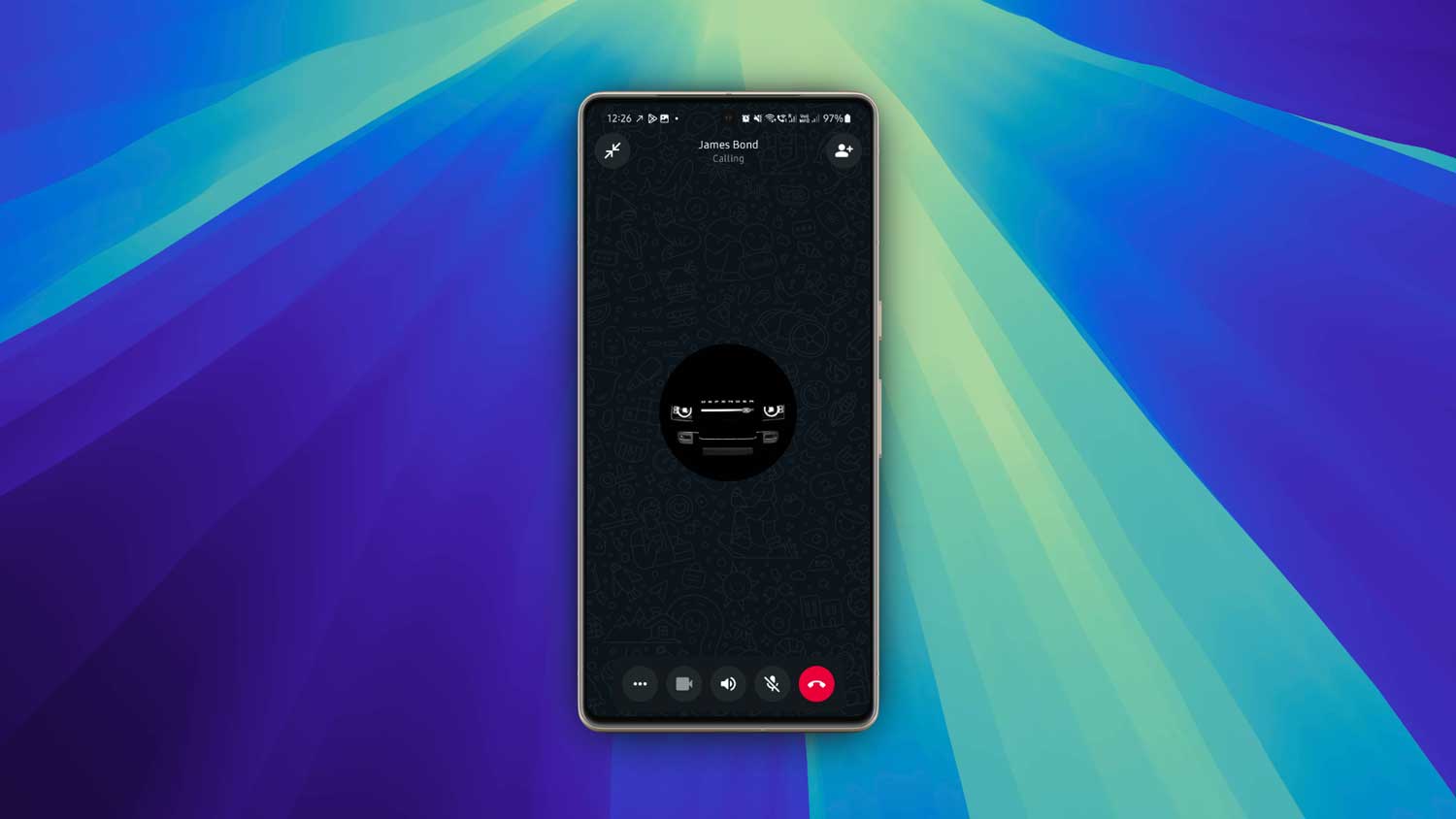
You’re trying to call someone on WhatsApp. But it never connects. You start thinking. Did they block me?
It’s a valid question. WhatsApp blocking can feel vague. But there are clues.
Let’s walk through what really happens when someone blocks you and what that means for calls.
You can’t call someone who blocked you.
If someone has blocked you, you’ll see the call ring… on your end. Then it stops. You’ll see “Call failed” or nothing. It’s like dialing a dead number.
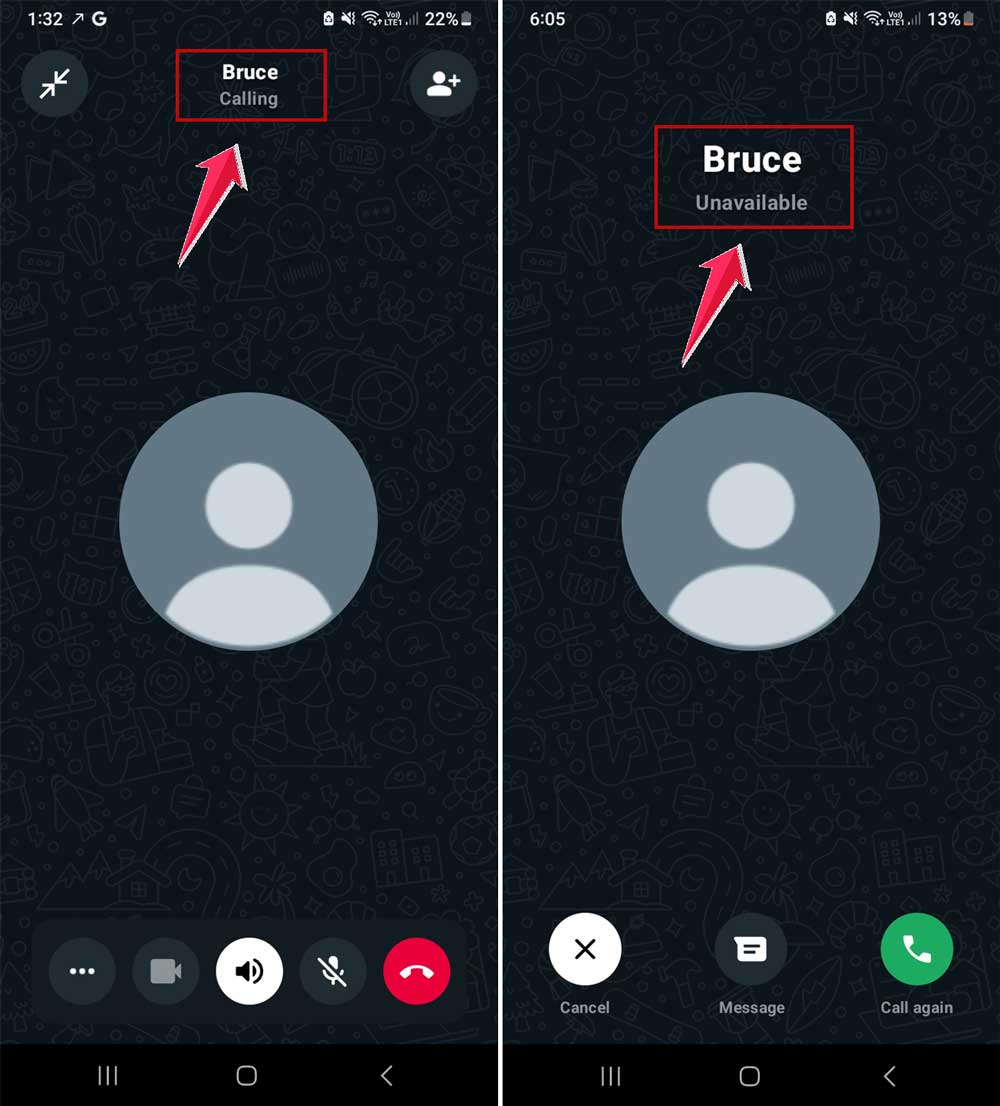
On your screen, the phone rings. But on their phone? Nothing. Silence. No notification. No missed call alert. Zip.
So if your WhatsApp call never goes through to one person. even though their number is correct. You can be pretty sure you’re blocked.
What happens when someone blocks you?
Think of it like a sealed door. You knock on the door. You hear a ringing. But the door won’t open.
Your call never reaches their phone. They don’t get notified. You never appear on their call log.
Meanwhile, on your end, everything looks normal. WhatsApp still shows the ringing. But after a while. nothing.
Other signs you might be blocked
Call failure isn’t the only clue. These signs can help you know for sure.
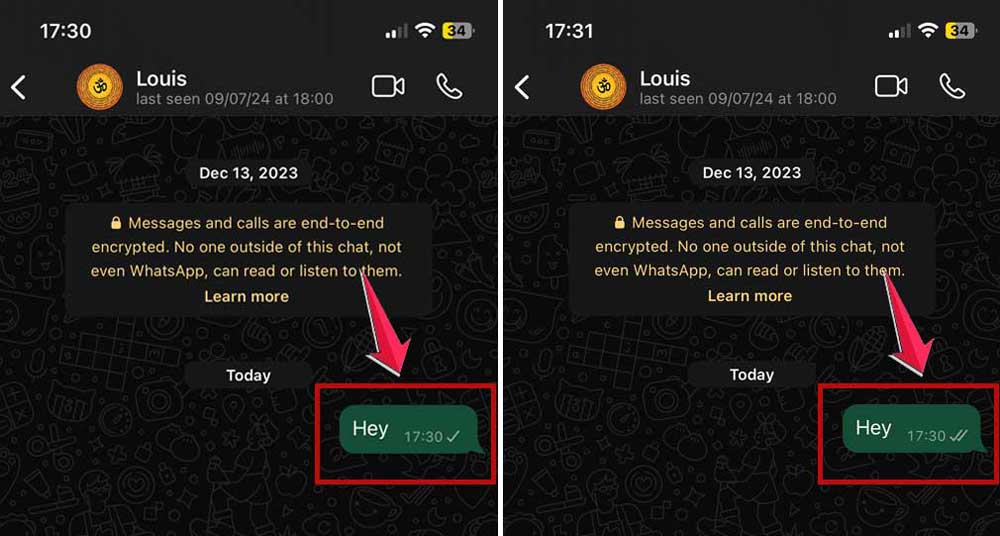
You can’t see their profile photo updates anymore. Your text messages stay stuck with one tick.
Two ticks never appear. And, if it does. It means they have unblocked you.
Your calls always fail. You can’t add them to a WhatsApp group. You’ll see a message like ‘You’re not authorized to add this contact.‘
And this one matters. If you’ve ever seen them online before, now you don’t. No ‘last seen,’ no “online.”
Seeing them online means you’re not blocked
If you can still see someone’s ‘online‘ status or ‘last seen,’ then you are not blocked. Blocking hides all of that. online, last seen, status, everything.
So if you’re seeing them online and you can still send messages that eventually get two ticks, then WhatsApp hasn’t blocked you.
That’s good news.
Let’s talk about that group test
Here’s a quick way to test if you’re blocked.
Try to add that contact to a new WhatsApp group. If you get an error message like “You are not authorized to add this contact,” that’s basically WhatsApp saying the user has blocked you.
It’s not 100% foolproof. But paired with other signs, it’s a strong indicator.
How to check profile visibility
Search their name in your WhatsApp contacts. Go to their profile page. If the “Followed” field is blank or empty and you see “Add to Contacts,” you’re blocked.
But if you see their number and their profile info, you’re probably still connected.
Dead calls and one grey tick messages
If you call them, you’ll hear ringing on your side. but not theirs. They won’t know anything happened.
Messages stuck with one grey tick? That means your messages are sent from your device, but they never reach theirs.
Over time, it adds up. No profile photo updates. Calls never go through. One grey tick, always.
It all adds up to one conclusion: you’re blocked.
What about WhatsApp Web or alternate phones?
If they use WhatsApp Web on their computer, they might appear “online” even with their phone off.
But… WhatsApp blocks these from being visible to blocked users. So if their phone is off and you’re still seeing them online. Then you’re not blocked.
It just means they’re active on another device.
What if someone just unblocked you?
Sometimes people block and unblock someone. Maybe they took a break. Or changed their mind.
If this happens, you might see weird behavior:
Your messages suddenly get delivered again. You see their picture again. Your calls connect now.
If this happens suddenly, it’s likely you were blocked before. and now unblocked.
Should you worry about being blocked?
Not always.
People block others for all kinds of reasons. It’s more about them than you. messy relationships, personal boundaries, or just needing space.
If it feels targeted or personal, maybe consider reaching out another way.
But too often, people overthink it.
Want to test it yourself?
Here’s what you can try:
Message them. If that message stays at one tick. sent but not delivered. After a full day, that’s a clue.
Then try calling. If it always fails the same way, and you never see them online, that’s another hint.
Try adding them to a test group. If it fails, that’s the final piece.
If all of these happen, you’ve got a high-confidence conclusion. You’re blocked.
What to do now
Accept it. Let it go. There’s no point any longer stressing about a message not delivered.
If you need closure, try chatting with them via another channel. But do it kindly and respectfully.
But remember: blocking isn’t a fault. It’s boundary-setting. And that’s healthy.
Final thoughts
So yes, you can’t call someone on WhatsApp if they’ve blocked you.
You’ll hear the call ring only on your side. They won’t get a thing.
Other signs help confirm it: Messages stuck at one tick. Calls are always failing. No online status. No profile updates. The group test fails.
If you still see them online. You’re not blocked. Simple as that.
This is just how WhatsApp protects privacy. It gives people control over who they let in.
Use it wisely, and respect others’ boundaries if they hit you with it.
Let me know if you’d like this adapted for screenshots, or a shorter social-friendly version.